What makes smart iptv different from other IPTV players?
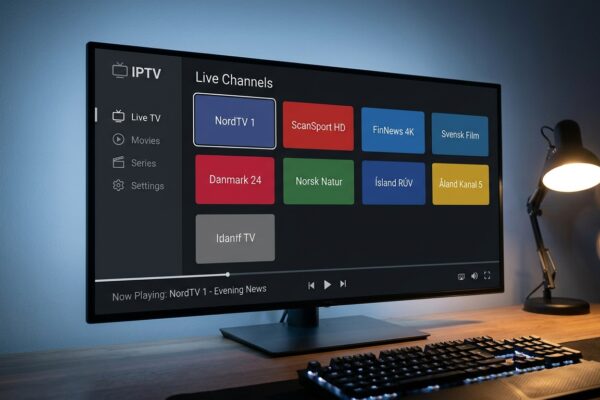
Smart iptv is a dedicated IPTV player app, originally built for Samsung and LG Smart TVs, that lets you load your own M3U playlist or Xtream Codes feed directly onto a television without a streaming stick or set-top box. It strips away the bundled channels and hands full control to the user.
Search for “smart iptv” long enough and you’ll find it sitting in an odd corner of the streaming market: not a service, not a subscription, and not a content library. It’s a player. Specifically, the app most commonly called SIPTV (also sometimes written Smart IPTV without the space, though both refer to the same software by developer needz) handles your self-supplied playlist and turns a flat-screen into a fully functional IPTV screen. For anyone in Finland looking to watch live channels without paying a cable operator, understanding what this app actually does, and where it draws the line, matters before you spend a single euro on a subscription from any provider.
Table of Contents
- What smart iptv actually is (and isn’t)
- Supported devices and where to get the app
- How to install and activate it
- Adding your playlist: M3U, Xtream Codes, and MAC address
- Key features that separate it from generic players
- Pricing: what the free version gives you and what it doesn’t
- Common problems and how to fix them
- Frequently Asked Questions
- Conclusion
What smart iptv actually is (and isn’t)
Picture a very capable remote control that doesn’t care what channels you point it at. That’s roughly the mental model. Smart iptv doesn’t broadcast anything. It doesn’t hold a licence for a single channel. What it does is read a playlist file, parse out the stream URLs inside it, and play them back through your television’s built-in hardware decoder. The content comes entirely from whatever IPTV provider you subscribe to separately.
This distinction matters legally and practically. The app itself is neutral. Whether what you watch through it is legitimate depends entirely on the source of your M3U playlist. Plenty of Finnish households use smart iptv alongside perfectly legal provider packages. Others, frankly, don’t. The app has no way to police that, and needz has been fairly transparent about that position.
The SIPTV origin story
Development started specifically for Samsung’s Tizen OS and LG’s webOS, which was smart thinking. Those two platforms cover the vast majority of Smart TVs sold in Scandinavia over the past six or seven years. Most Samsung owners in Finland never need a Fire Stick or an Android TV box because the app runs natively. That’s genuinely unusual. Most competing players like TiviMate or IPTV Smarters were Android-first projects that eventually got ported to other platforms. Smart iptv went the other direction, which partly explains why its interface feels more at home on a television remote than a touchscreen.
The app has since expanded to Android TV, Amazon Fire TV, and there’s an APK build that can be sideloaded onto various devices. But the Samsung and LG versions remain the most polished, and that’s where you’ll find the largest user base.
“Global IPTV subscribers are expected to surpass 210 million by 2027, up from roughly 130 million in 2022, driven largely by Smart TV adoption in Northern and Western Europe.” (Source: Wikipedia, Internet Protocol Television)
Supported devices and where to get the app
The device list is broader than most people expect. Here’s where you can actually run smart iptv:
- Samsung Smart TVs running Tizen OS (2016 models onward, some 2015 models with caveats)
- LG Smart TVs running webOS 3.0 and above
- Android TV devices, including Sony and Philips TVs that use Android TV natively
- Amazon Fire TV Stick (second generation and later, via sideloading the APK)
- Generic Android TV boxes running Android 7.0 or higher
For Samsung owners, the official route is Samsung’s own app store, called the Samsung Smart Hub. Search “Smart IPTV” and it should appear. LG users go through LG Content Store. Both storefronts are free to download from; the cost comes later at the activation stage.
Android TV is a slightly different story. The app is listed on the Google Play Store under similar naming, but the experience isn’t quite as clean as on Tizen or webOS. The remote-navigation logic was clearly designed for Samsung’s cursor-based remote, and it occasionally feels slightly awkward on Android TV’s D-pad-only navigation. Not a dealbreaker, but worth knowing before you assume it’ll feel identical across platforms.
Getting it on Fire TV
Amazon’s Fire TV doesn’t carry smart iptv in its official store. You’ll need to enable “Apps from Unknown Sources” in the Fire TV settings, then sideload the APK using the Downloader app from the Amazon store. The process takes about ten minutes and is well-documented in the IPTV community. If you’re already comfortable with Android sideloading, it’s trivial. If you’ve never done it before, give yourself a quiet half-hour the first time.
For a deeper look at how another popular player handles playlists across similar devices, a closer look at the iptv smarters video player app covers the differences in approach quite well.
How to install and activate it
Installation is the easy part. Activation is where people sometimes get stuck, mostly because the process is slightly unusual compared to other apps.
Step-by-step for Samsung Smart TV
- Open Samsung Smart Hub and search for “Smart IPTV”.
- Download and open the app. On first launch, the app displays your TV’s MAC address on screen.
- Go to the smart iptv website on a computer or phone (siptv.eu is the developer’s domain). Navigate to the activation page.
- Enter the MAC address shown on your TV screen. This links the app to your specific device.
- You get a 7-day free trial automatically from the first activation.
- After the trial, a one-time payment of roughly 5.49 euros unlocks the app permanently on that device.
That’s the model: buy once per TV, not per month. For a household with two televisions, you’d pay for two activations. It’s not a subscription, which is genuinely refreshing compared to the recurring fees most software companies have shifted to.
LG webOS installation
The process mirrors Samsung almost exactly. Open LG Content Store, find the app, install it, note the MAC address, activate via the website. One subtle difference: older LG models running webOS 2.x may not find the app in the store at all, in which case LG’s own developer mode can be used to sideload it, though this gets into more technical territory than most users want to handle.
Adding your playlist: M3U, Xtream Codes, and MAC address
This is the section that actually determines whether your viewing experience is good or terrible. Smart iptv supports three main methods for loading content, and they’re not interchangeable.
M3U playlist URL
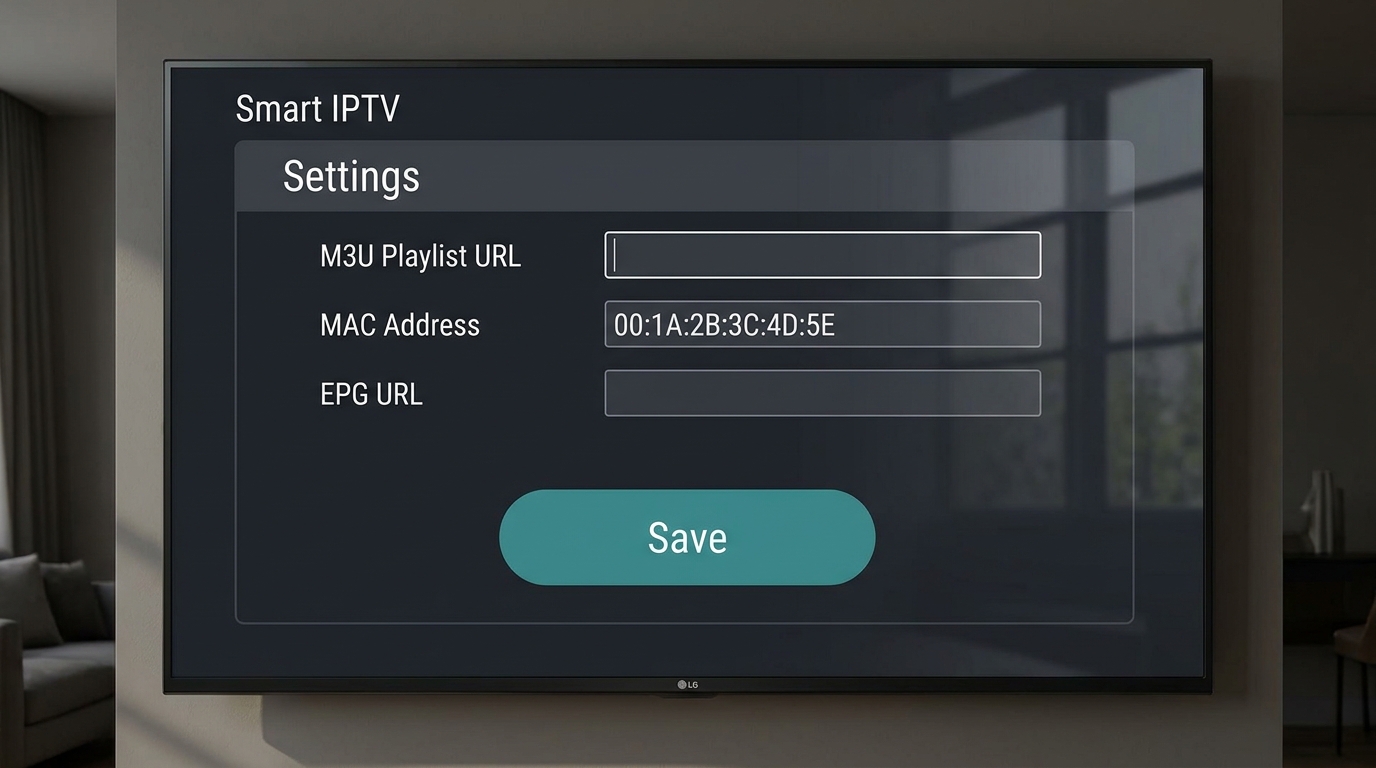
Most IPTV providers give you an M3U URL, which is essentially a text file containing a list of stream addresses. In smart iptv, you paste this URL into the activation website under your device’s MAC address, save it, then restart the app on the TV. The playlist loads automatically.
A few things trip people up here. First, the M3U URL must be publicly accessible, meaning it can’t sit behind a login page. Second, if your provider rotates the URL periodically (some do, for anti-piracy reasons), you’ll need to update it on the website each time. Third, playlists with more than roughly 4,000 channels can cause slow load times on older TV hardware. I spent an annoying Tuesday evening last spring troubleshooting a 9,000-channel playlist on a 2018 Samsung, and the solution was simply splitting the list into two and loading only the Finnish and Nordic channels I actually watch.
Xtream Codes API
Xtream Codes is a different format: instead of a static file, it’s a login system with a server URL, a username, and a password. Smart iptv supports this on some versions but not uniformly across all platforms. If your provider offers Xtream Codes, it’s generally the more stable option because the channel list updates automatically without you touching anything. If smart iptv on your particular device doesn’t support it natively, you’ll need to generate an M3U URL from your provider’s Xtream panel and use that instead.
MAC address spoofing for MAG-style setups
Some providers issue subscriptions tied to a specific MAC address, the same way MAG set-top boxes work. Smart iptv’s MAC address is used exactly this way. You give your provider the MAC shown in the app, they whitelist it on their server, and the content flows. This is actually one of smart iptv’s differentiating features: it behaves like a MAG device from the provider’s perspective, which means compatibility with providers built around that ecosystem.
For more context on how playlist formats interact with different players, the playlist format that iptv smarters pro actually requires is worth reading alongside this.
Key features that separate it from generic players
Generic IPTV players are everywhere. What smart iptv does differently is worth being specific about, because the differences are real but not always obvious from a feature list.
EPG (Electronic Programme Guide) integration
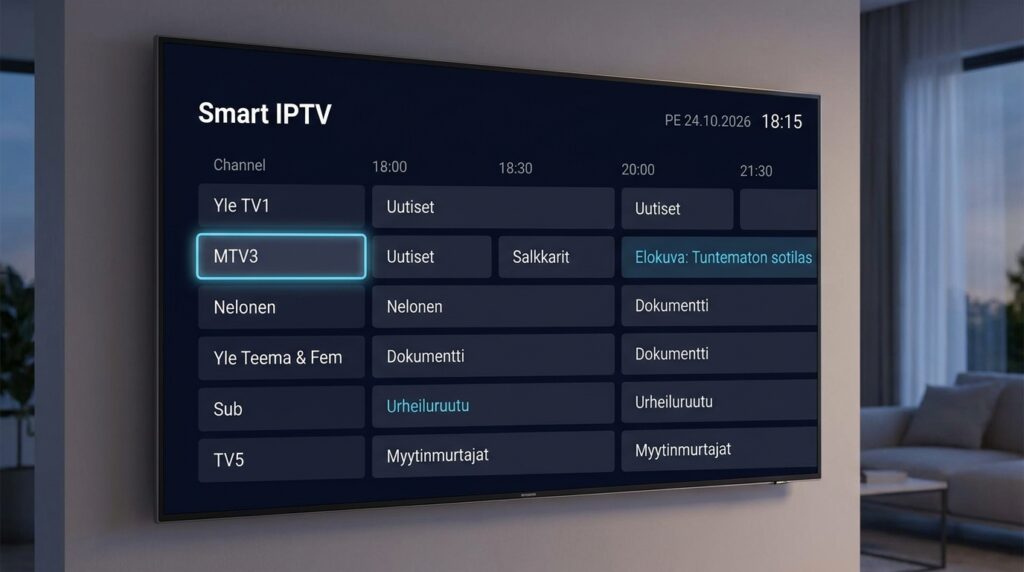
Smart iptv pulls an EPG from a separate URL you provide, typically in XMLTV format. When it works, you get a proper TV guide grid showing what’s on now and what’s coming up, channel by channel. This is the feature that separates the app from bare-bones players that just show you a channel list. Finnish EPG data is available from several community-maintained sources, and getting it set up takes about five minutes if you know where to look.
The EPG display is clean and navigates well on a TV remote. You can jump forward several days, set reminders (on supported platforms), and filter by category. It’s not as polished as what you’d get from a native broadcast app like Yle Areena, but for a third-party tool, it’s solid.
Multi-screen and aspect ratio controls
The player handles various stream formats without you needing to configure codecs manually. It adapts to 4:3, 16:9, and cinemascope content. Subtitle support exists for streams that carry subtitle tracks, though the reliability depends on how the stream itself encodes them.
Catch-up TV support
If your provider supports catch-up (time-shifted viewing), smart iptv can access it through the EPG interface. You navigate to a past timeslot in the guide and press play. Not every provider enables this, and it requires correct EPG tagging, but when the whole chain is set up correctly, it works well.
- Native TV remote navigation without needing a mouse or touch
- Password-protected user profiles on some platform versions
- Favourite channel lists with custom sorting
- Direct stream URL input for testing individual channels
Pricing: what the free version gives you and what it doesn’t
Seven days. That’s the trial window. After that, the app stops playing content until you pay the one-time activation fee, which has historically sat around 5 to 6 euros depending on the platform and region. There’s no monthly fee from the app developer’s side.
But here’s the thing most guides gloss over: the app cost is the smallest part of your total spend. The real money goes to the IPTV provider whose M3U playlist or Xtream Codes subscription you’re loading into it. Provider pricing in Finland varies considerably. Take iptv subscription, for instance: their Finnish-market plans are structured so that the cost per month works out cheaper than a standard cable TV package once you account for not renting a set-top box, which is worth calculating properly before assuming cable is the safe default.
The app purchase is genuinely a one-time thing. I’ve been using the same activation on a 2020 Samsung panel for over two years without paying anything additional to needz. That’s a reasonable deal for what it provides.
Are there free alternatives?
Several, though each comes with trade-offs. VLC can technically play an M3U stream on a Smart TV, but the navigation experience on a television remote is genuinely painful. TiviMate is excellent but Android-only. Kodi works on many platforms but requires more configuration than most people want to do. Smart iptv sits in a specific niche: native Smart TV experience, minimal setup, one-time cost. For that specific combination, there isn’t a like-for-like free alternative that covers Samsung and LG natively.
If you’re trying to figure out whether the subscription cost from a provider makes sense for Finnish viewing habits, is iptv finland worth the monthly subscription cost? breaks down the numbers in a way that’s actually useful for making that decision.
Common problems and how to fix them
The smart iptv community has documented most failure modes pretty thoroughly at this point. Here are the ones that come up most often.
Channels won’t load after playlist update
The most common cause is a cached playlist. Smart iptv stores the last successful playlist locally. If you update your M3U URL on the website, you need to force a reload inside the app, usually by going to Settings and selecting “Reload playlist”. Simply restarting the app doesn’t always clear the cache.
Buffering on specific channels
Buffering is almost always a network or server issue, not an app issue. Before assuming smart iptv is broken, check: is the specific channel also buffering on another device using the same playlist? If yes, the problem is upstream. If no, check your TV’s network connection. Wired ethernet beats Wi-Fi for IPTV, especially for 1080p or 4K streams, and this is doubly true for older Smart TVs whose Wi-Fi chips aren’t particularly fast.
Server geography matters too. Providers running infrastructure closer to Finland cut latency noticeably compared to streams routed through US or UK endpoints. For reference, the difference between a Helsinki-hosted endpoint and a London one is typically somewhere in the 20 to 50 ms range for Finnish users, which sounds small but compounds when you’re streaming live video.
App shows “Your trial has expired” immediately
This usually means the activation didn’t register correctly. Double-check that you entered the MAC address from the app (not your router’s MAC), and that the activation website confirmed the device. If everything looks correct and it still shows expired, clearing the app’s cache and relaunching often resolves it. On Samsung TVs, this is done through Settings, then Support, then Device Care.
EPG not loading
EPG failures are almost always a URL problem. The XMLTV file needs to be gzip-compressed and hosted at a stable, publicly accessible URL. Some community EPG sources go offline periodically. If your EPG suddenly stops working after months of being fine, the source URL is probably down. Check the source directly in a browser, or switch to a backup EPG provider.
For a broader look at setting up Nordic content correctly, how to set up iptv nordic on your TV in Finland covers the full configuration flow including EPG sources that work well for Finnish and Scandinavian content.
And if you’re curious how the Nordic IPTV space looks from a subscription perspective before committing, 5 things to know before subscribing to nordic iptv is a grounding read.
One more: if you’re running into issues specific to less mainstream setups, jnt iptv might be relevant depending on your provider configuration.
Frequently Asked Questions
Is smart iptv free to use?
The app offers a 7-day free trial on first activation. After that, a one-time payment (roughly 5 to 6 euros depending on platform) unlocks it permanently on that device. There’s no monthly subscription from the app developer. Your IPTV content provider, however, will charge separately for access to their channels.
What is smart iptv and how does it work?
Smart iptv is a player application for Samsung Smart TVs, LG Smart TVs, Android TV, and Fire TV devices. It reads an M3U playlist or Xtream Codes feed provided by your IPTV subscription service, then plays the streams directly on your television. The app supplies the player; the content comes from your chosen provider.
Is IPTV Smarters legal to use?
IPTV Smarters, like smart iptv, is a neutral player application. The legality depends entirely on the content source you connect to it. Using it with a licensed provider is legal. Connecting it to pirated streams is not. The app itself has no built-in content, licensed or otherwise, so legal responsibility rests with the user’s choice of provider.
Is there a free IPTV app for Smart TV?
Several apps are free to download on Smart TVs, including some versions of smart iptv (during the trial), SS IPTV, and OTT Navigator on Android TV. Most require a paid IPTV subscription from a provider to actually access channels. Fully free, legal, and fully functional options are limited; most involve some cost at the content or app level.
Can smart iptv show an Electronic Programme Guide?
Yes. Smart iptv supports XMLTV-format EPG files loaded via a URL you configure on the activation website. When set up correctly, it displays a full TV guide grid with current and upcoming programme information. EPG coverage depends on the data source you use, and Finnish-language EPG sources are available from several community-maintained providers.
Conclusion
Smart iptv earns its reputation by solving a specific problem well: getting IPTV onto a Samsung or LG television without adding hardware. The one-time pricing model is genuinely fair, the MAC-address activation system is compatible with a wide range of providers, and the EPG integration lifts it above bare-bones alternatives. It’s not perfect, and the cross-platform experience is uneven, but for Finnish households with a mid-range Smart TV and an existing IPTV subscription, it’s probably the most direct path to a working setup. Personally, after spending time with several players, I’d pair smart iptv with a provider like iptv subscription that structures its Finnish-market plans around actual Nordic viewing habits rather than generic European channel bundles. Check the Smart TV platform compatibility notes for your specific model before buying, then start the seven-day trial and see how it sits.