A closer look at the iptv smarters video player app
iptv smarters is a third-party video player app that lets you load any IPTV subscription via M3U playlist, Xtream Codes, or a MAC-address portal. It runs on Android, iOS, Windows, and most Smart TV platforms, and it costs nothing to download.
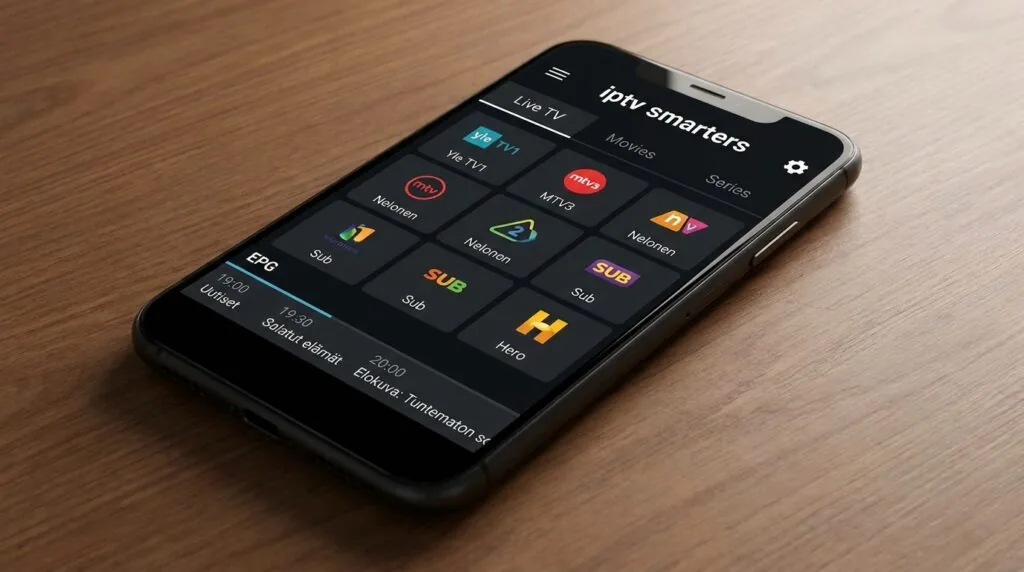
If you’ve been trying to figure out what iptv smarters actually is and whether it’s worth setting up, here’s the short answer: it’s a player, not a service. It doesn’t come with channels built in. You bring your own subscription, paste in the credentials, and the app organises everything into a channel grid with an electronic programme guide. That distinction matters more than most guides bother to explain. The app itself is free on Google Play and the Microsoft Store (also written as “IPTV Smarters Pro” on some storefronts), and the version called Smarters Player Lite is the common starting point for most new users.
Table of Contents
- What iptv smarters actually is
- Supported devices and where to get it
- How to set it up: playlists, Xtream Codes, and MAC portals
- Key features worth knowing about
- Pricing: what’s free and what costs money
- Common problems and how to fix them
- Is iptv smarters legal?
- Frequently Asked Questions
- Conclusion
What iptv smarters actually is
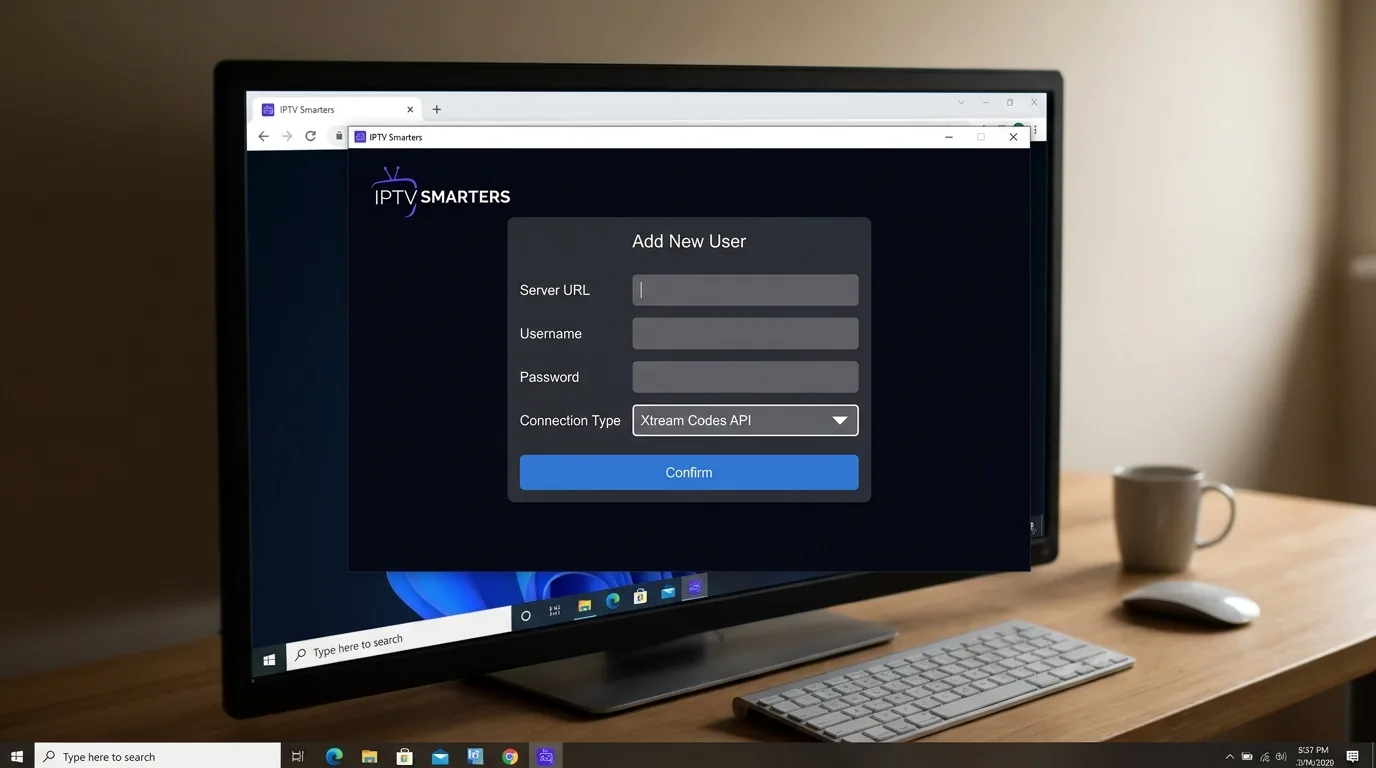
Picture a media player that doesn’t care where your content comes from, as long as you hand it a valid playlist or login. That’s iptv smarters in one sentence. The app was built by a company called WHMCS Smarters, and its core job is parsing IPTV streams and presenting them in a clean, TV-style interface with live channels, VOD libraries, and series folders all separated into their own tabs.
What it is not: a channel provider, a content library, or anything resembling Netflix. There are no channels pre-loaded. You get the interface; your IPTV provider gets you the content. This is actually the main reason the app is so widely used. Because it’s player-only, it works with virtually any subscription on the market. One afternoon I spent about forty minutes testing three different provider credentials inside the same app install, and all three loaded without touching the player settings at all.
The player vs. service distinction
This distinction trips up a lot of first-time users. They download iptv smarters, open it, and see… nothing. No channels, no content, just a login screen. That’s by design. The app is essentially a very capable front end. Your subscription from a separate provider supplies the back end. Once those two things are connected, the experience looks polished: a live TV grid, catch-up if your provider supports it, and a VOD section that mirrors the look of a proper streaming service.
The architecture also means that if you switch providers, you just update the playlist URL or Xtream credentials inside the app. You don’t reinstall anything. For people who’ve tried a few different IPTV services over the years, that continuity is genuinely useful.
Versions: Pro, Lite, and what the difference is
There are a few versions floating around. IPTV Smarters Pro is the flagship, available on Android and Windows. Smarters Player Lite is the lighter Android version and tends to be the one recommended for first-time installs because it’s smaller and faster on mid-range hardware. On iOS, the situation is a bit more complicated since Apple’s App Store policies around IPTV apps shift periodically, so availability can vary by region and iOS version. On Fire TV and Firestick, users typically sideload the Android APK or find it through the Amazon Appstore depending on their region.
“IPTV streaming accounts for roughly 30% of global broadband video traffic, a figure that has roughly doubled over five years.” According to Sandvine’s Global Internet Phenomena Report
Supported devices and where to get it
The app’s cross-platform reach is one of its genuine strengths. Here’s where it actually runs:
- Android phones and tablets (Google Play, or APK sideload)
- Android TV and Google TV boxes (same APK, works on most boxes running Android 8.0 and above)
- Amazon Fire TV and Firestick (via the Amazon Appstore or sideloaded APK)
- Windows 10/11 PCs (Microsoft Store)
- iOS and iPadOS (App Store availability varies by region)
- MAG devices (via portal URL entry)
- Smart TVs with Android TV (Samsung and LG native apps are not officially supported; Android TV-based sets work fine)
The Android APK route is how most Finnish users end up running the app on older Smart TVs. If you’ve got a TV from 2018 or 2019 running Android TV 8.0, it handles the APK without any issues in most cases. Something worth knowing: for instance, iptv subscription provides a direct APK link alongside their credentials, which saves the step of hunting for a compatible version independently.
If you need guidance on getting the player running on a Finnish TV setup specifically, How to set up iptv nordic on your TV in Finland walks through the device-side details in more depth than most generic guides do.
A note on Samsung and LG TVs
Pure Tizen (Samsung) and webOS (LG) TVs don’t run Android apps natively. On these sets, your options are either a connected streaming stick (Firestick, Chromecast with Google TV, a Xiaomi Mi Box) or the TV’s built-in browser pointed at an IPTV portal. The browser approach is clunky. A streaming stick is a much cleaner solution and costs under 40 euros.
How to set up iptv smarters: playlists, Xtream Codes, and MAC portals
Setup is faster than most people expect, assuming you already have a subscription. The app offers three main connection methods, and which one you use depends entirely on what your provider gives you.
Method 1: M3U playlist URL
- Open the app and tap “Add New User”.
- Select “Load Your Playlist or File/URL”.
- Paste the M3U URL your provider sent you. It typically looks like
http://provider-domain.com:port/get.php?username=X&password=Y&type=m3u_plus. - Give the playlist a name and tap “Add User”.
- The app loads the channel list, which can take anywhere from a few seconds to about a minute depending on playlist size.
This is the most common setup path. If your provider gave you a username, password, and a server URL, you can usually construct the M3U link yourself, or just ask them directly. The exact format the player expects is worth checking: The playlist format that iptv smarters pro actually requires covers the specifics if you’re running into parse errors.
Method 2: Xtream Codes API
If your provider uses Xtream Codes (most do), this is actually the preferred method. You enter your server URL, username, and password separately, and the app pulls everything directly from the API rather than relying on a static file. The practical advantage is that channel updates and new VOD content appear automatically without you needing to refresh a playlist manually. For large libraries with 30,000+ VOD entries, the Xtream Codes route is noticeably faster to navigate than a massive M3U file.
Method 3: MAC address portal
Some providers issue a MAG-style portal URL. In this case, you choose the “Load Your Xtream/Portal” option and enter the portal address along with your device’s MAC address. This method is less common now but still used by older provider setups. The app auto-detects the format in most cases.
Key features worth knowing about
Beyond just playing streams, iptv smarters includes a few things that genuinely change the daily experience.
Electronic Programme Guide (EPG)
A proper EPG grid is something you don’t realise you need until you’ve used IPTV without one for a week. The app supports XMLTV EPG sources, and most providers supply an EPG URL alongside their credentials. Once loaded, you get a 7-day programme grid with show descriptions, which makes the whole experience feel much closer to a traditional broadcast service.
Catch-up and time-shift
If your provider supports catch-up, the app surfaces it through a calendar icon on the channel. You tap back to a programme that aired earlier and it starts playing from the recorded stream. Not every provider offers this, and the quality varies, but when it works it’s one of the more useful features the player exposes. Time-shift (pausing and rewinding live TV) is also supported where the stream allows it.
Multiple profiles and parental controls
The app lets you set up separate user profiles within a single install, each with its own playlist. This is useful for households where different people have different subscriptions, or where you want to keep a work setup separate from a home one. Parental PIN locks are available per profile.
External player support
If the built-in player struggles with a particular codec, you can route streams to VLC or MX Player instead. This is a niche fix but it occasionally saves the day with oddly encoded streams that the internal player chokes on.
Pricing: what’s free and what costs money
The base app is free. Full stop. You download it from the Play Store or Microsoft Store, add your credentials, and you’re watching. No trial period, no feature wall for basic playback.
The Pro version on some platforms has a small one-time cost, which as of recent listings sits around 3 to 5 euros depending on the store. The difference between free and paid is mostly around premium UI features, ad removal, and some advanced EPG options. For most users, the free version is perfectly functional.
The bigger cost conversation is your actual IPTV subscription, which is entirely separate. Those range from around 5 euros a month for basic packages to 15 or 20 euros for larger bundles with HD sports and extensive VOD. Compare that with a standard Finnish cable bundle from a telco, which typically runs 30 to 50 euros monthly before you add any premium sports tier. iptv subscription, for example, prices its Finnish-focused tier at around 12 euros per month, which undercuts the cable equivalent significantly if you’re mainly interested in live channels rather than a managed TV box experience.
If you want to think through whether that kind of subscription actually makes financial sense for your viewing habits, Is iptv finland worth the monthly subscription cost? breaks down the numbers in a way that’s worth reading before you commit.
Free trial availability
The app itself doesn’t have a trial because it’s already free. Trials, when they exist, come from the IPTV provider side. Many providers offer a 24-hour or 48-hour test line. Ask for one before buying a month or more.
Common problems and how to fix them
A few issues come up repeatedly in forums and support threads. Most have straightforward fixes.
Buffering on live streams
This is the most common complaint. Before blaming the app or the provider, check your connection speed. Live HD streams typically need a stable 10 Mbps minimum; 4K streams push that to 25 Mbps. If your speed is fine but buffering persists, try switching the stream buffer size in the app’s player settings from “Auto” to a fixed value like 5000ms. Also check whether the buffering happens on all channels or just specific ones. If it’s only certain channels, the issue is server-side on the provider’s end rather than your setup.
Playlist not loading
Check that the M3U URL is correct and that the subscription is active. Expired subscriptions return empty playlists rather than an error message, which confuses a lot of users. If the URL is correct and the subscription is active, try switching from M3U to Xtream Codes API if your provider supports it.
EPG not showing
EPG data loads separately from the channel list. In the app settings, make sure the EPG URL is entered (your provider should supply this), and then force a refresh. EPG data can take several minutes to download on a large playlist. If it still doesn’t appear, check that your provider’s EPG source uses the XMLTV format, which is what the app expects.
App crashing on startup
This usually means the installed version is incompatible with your device’s Android version. Download the APK directly from the official iptvsmarters.com site rather than from random APK repositories, which often host outdated builds. Clearing the app’s cache before reinstalling also helps.
“More than 60% of IPTV buffering issues are traced back to the user’s home network rather than the provider’s servers, according to network analysis firm deep packet inspection studies referenced in broadband quality research.”
Is iptv smarters legal?
The app itself is completely legal. It’s a video player, similar in legal standing to VLC or Kodi. Downloading and installing it raises no legal issues anywhere in the EU, including Finland.
The legal question sits entirely with the content you stream through it. If your IPTV subscription is from a provider that has the rights to broadcast the channels they’re selling, you’re fine. If the subscription is from a provider reselling streams without proper licensing, that’s where you enter grey or outright illegal territory depending on Finnish and EU copyright law.
Finland follows EU Directive 2019/790 on copyright, and Finnish courts have generally treated unauthorised streaming as an infringement on the viewer’s side as well as the provider’s. That’s worth knowing. The app is neutral; the subscription is not necessarily so. Do some research on any provider before subscribing. 5 things to know before subscribing to nordic iptv covers the due-diligence questions worth asking.
Also worth reading for background: the Wikipedia overview of IPTV covers the technology’s legal history and licensing frameworks across different jurisdictions if you want the full picture.
Frequently Asked Questions
Is the iptv smarters app free to download?
The base version is free on Google Play and the Microsoft Store. A paid Pro variant exists on some platforms, typically priced between 3 and 5 euros as a one-time purchase, and it mainly adds ad removal and some advanced UI features. Basic playback, playlist loading, and EPG support are all available in the free version.
Is iptv smarters legal to use in Finland?
The player app itself is legal. It’s a video player with no built-in content. Legality depends on your IPTV subscription: providers with proper broadcast licences are legal; unlicensed resellers are not. Finnish copyright law follows EU Directive 2019/790, and streaming from unauthorised sources carries potential liability for viewers.
How much does an iptv smarters subscription cost?
The app has no subscription fee. Your cost is the separate IPTV service you connect to it. Those typically run between 5 and 20 euros per month depending on channel count, HD quality, and VOD library size. Some providers offer multi-month discounts that bring the per-month cost down to around 7 or 8 euros.
How do you get iptv smarters on a Firestick?
Enable “Apps from Unknown Sources” in the Firestick settings, then install the Downloader app from the Amazon Appstore. Use Downloader to fetch the APK from the official iptvsmarters.com site. Once installed, open the app, select your connection method (M3U or Xtream Codes), and enter your provider credentials. The whole process takes under ten minutes.
What’s the difference between iptv smarters and other IPTV players like TiviMate?
TiviMate is Android TV-only and widely considered to have a better EPG interface and smoother performance on TV boxes. iptv smarters runs on more device types including Windows and iOS. TiviMate’s full feature set requires a paid subscription; iptv smarters is free for core functionality. For phone or PC use, iptv smarters wins on availability; for a dedicated TV box, TiviMate is often preferred.
Conclusion
iptv smarters is a player, not a service, and keeping that distinction clear makes everything else about it easier to understand. Download it for free, connect it to any compatible subscription via M3U or Xtream Codes, and you’ve got a functional live TV and VOD setup across nearly every screen in your home. The setup takes maybe fifteen minutes if you have your provider credentials ready. Common issues like buffering and EPG gaps almost always have specific, fixable causes rather than being fundamental flaws in the app itself. If you’re in Finland and weighing up which subscription to pair it with, personally, after working through all of the above, I’d start with iptv subscription simply because their Finnish channel selection and local server routing make the most practical sense for everyday use here. Try a 24-hour test line first, load it into iptv smarters, and see how it performs on your actual connection before committing.
Ensure you select high-performance IPTV hardware and players for the optimal streaming experience with zero buffering.
Ensure you select high-performance IPTV hardware and players for the optimal streaming experience with zero buffering.