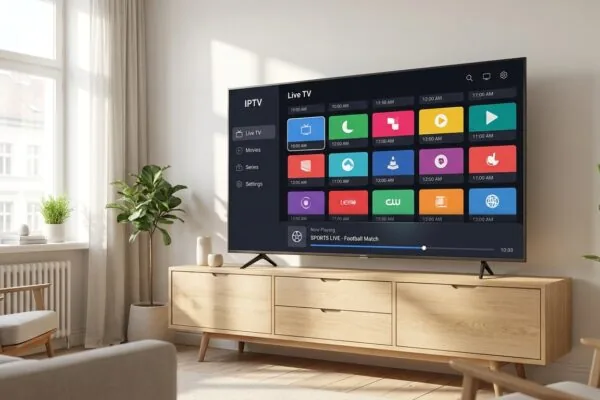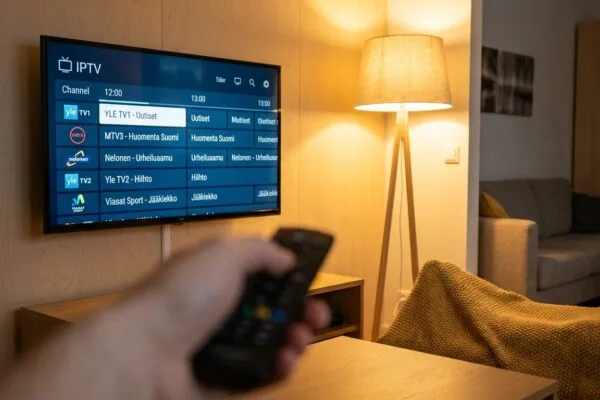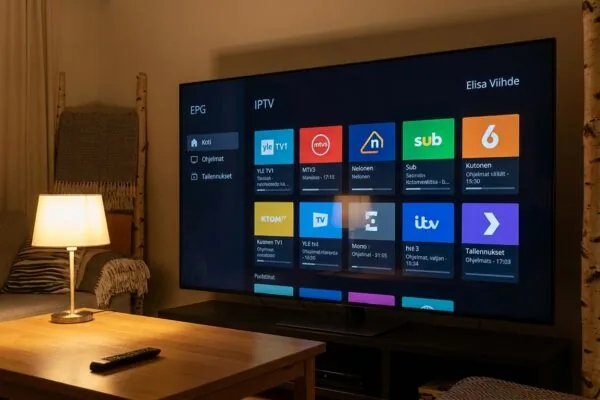
iptv dna brings streaming and live TV into one device
iptv dna is DNA’s television service in Finland that combines traditional broadcast channels with internet-delivered IPTV streams, on-demand content, and popular streaming apps through a single set-top box. It replaces the need for a separate cable box, streaming stick, and antenna receiver all at once.
There’s a misconception that floats around Finnish tech forums: that iptv dna is just another name for cable TV with a fancier remote. I ran into this confusion myself when a colleague asked me to help him set up his new apartment in Helsinki last spring. He’d been paying for three separate subscriptions and assumed DNA’s offering was more of the same. It isn’t. iptv dna is genuinely different in the way it delivers signal, and understanding that difference will save you real money and real frustration. This guide walks through exactly what the service does, how the technology works under the hood, how to get started, and where things can go wrong.
Table of Contents
- What iptv dna actually is (and what it isn’t)
- How the technology works: IPTV vs antenna vs cable
- The DNA viihdeboksi: what the hardware does
- Setting up iptv dna step by step
- Channel packages, pricing, and what you actually get
- Common problems and how to fix them
- When iptv dna isn’t enough: third-party IPTV options for Finland
- Frequently Asked Questions
- Conclusion
What iptv dna actually is (and what it isn’t)
Start with the misconception. A lot of people search for iptv dna expecting to find a standalone streaming app they can download onto any device, the way you’d download Netflix or Ruutu. That’s not what it is. DNA TV (also written as DNA TV in some official contexts) is a subscription television service from the Finnish telecom operator DNA, and the IPTV component is specifically the internet-delivered portion of its channel lineup. The “boksi” (viihdeboksi) is the physical device that makes all of it work together.
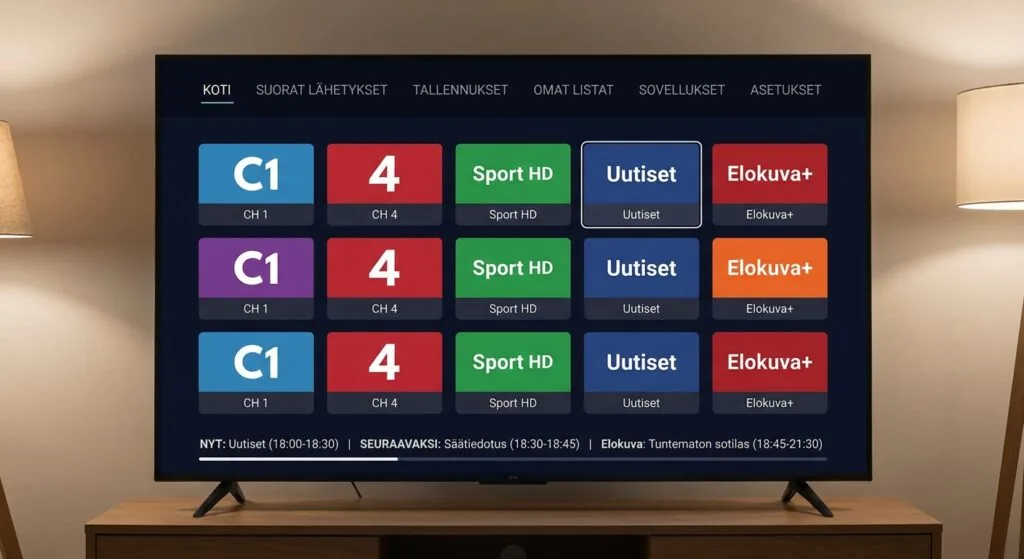
So what does it actually do? Think of it as a hub. Plug it in, connect it to your broadband and your antenna cable, and you get:
- Live TV channels delivered over your internet connection (the IPTV part)
- Free-to-air broadcast channels via the antenna input
- A built-in streaming app store with Netflix, Disney+, HBO Max, Ruutu, and Prime Video
- A rental video store for new releases
- Catch-up TV for programs you missed in the past several days
The key thing to understand is that the IPTV channels require your broadband to be active. The antenna channels don’t. This matters when your internet has a hiccup at 9 PM during a football match. One set of channels keeps working; the other goes dark until the connection restores. I’ll come back to troubleshooting that specific scenario in section 6.
DNA is one of Finland’s three major mobile and broadband operators, alongside Telia and Elisa. Its TV service has been running in this form for years, and the viihdeboksi hardware has gone through several generations. The current version supports 4K HDR content and Dolby Atmos audio on compatible content, which puts it ahead of a basic set-top box in terms of picture and sound quality.
How the technology works: IPTV vs antenna vs cable
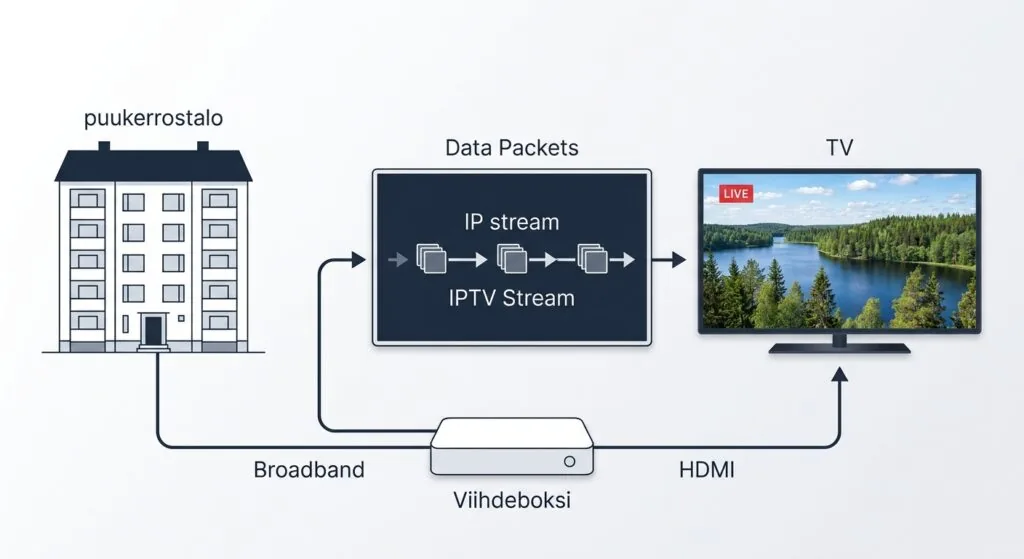
Here’s where it gets interesting. Traditional broadcast TV sends a signal through the air (antenna) or through a coaxial cable network. Your TV or set-top box receives that signal passively. IPTV works completely differently: the video stream is packaged into data packets and delivered over a standard IP network, the same infrastructure that carries your email and web browsing.
Why packet delivery changes everything
Because the stream is just data, the operator can do things that are impossible with broadcast. They can let you pause live TV, because the stream can be buffered server-side. They can offer a rewind feature that goes back several hours, because the server keeps a rolling archive. They can serve on-demand content from the same pipe without any additional hardware changes on your end. And they can update the channel lineup remotely without sending a technician to your home.
The trade-off is that quality depends on your connection. A broadcast antenna signal either arrives or it doesn’t. An IPTV stream degrades gradually: first you get pixelation and blocking artifacts, then brief freezes, then complete dropout. The minimum recommended bandwidth for HD IPTV is roughly 10 Mbps per stream, though DNA’s own hardware typically negotiates adaptive bitrate streaming, stepping down to a lower quality version if your connection wobbles rather than cutting out entirely.
According to the Broadband Forum’s IPTV technical specifications, multicast delivery (where one stream serves many viewers simultaneously) is the most bandwidth-efficient method for live channels, while unicast is used for on-demand and time-shifted content. DNA’s system uses both, which is why live channel streams are generally more stable than catch-up playback on congested networks.
How this differs from a generic IPTV subscription
A managed IPTV service like DNA’s is quite different from the grey-market IPTV subscriptions you find advertised online. With iptv dna, DNA controls the entire chain: the content licensing, the encoding, the delivery network, and the hardware. With a third-party IPTV subscription, you get an M3U playlist or Xtream Codes credentials that you load into a player app. The quality, reliability, and legal status of those services vary enormously. This guide covers both scenarios, because many people in Finland use iptv dna as their primary service and supplement it with a separate subscription for content DNA doesn’t carry.
The DNA viihdeboksi: what the hardware does
The viihdeboksi (literally “entertainment box” in Finnish) is the physical device you rent or purchase from DNA. It runs a custom Android-based operating system and connects to your TV via HDMI. The box has two physical inputs: an Ethernet port for your broadband and an RF coaxial input for the antenna. Both need to be connected for the full experience.
What’s inside the box
The current generation supports HDMI CEC, which means your TV remote can control basic playback functions without needing to switch to the DNA remote. It also supports Dolby Atmos passthrough, so if you have a soundbar or AV receiver that handles Atmos, you can get the cinema audio format on compatible DNA content. This isn’t something most people notice on day one, but it’s genuinely impressive when you first hear it on a well-mastered film.
The app ecosystem is built in. Rather than requiring you to sideload Netflix or Disney+, those apps come pre-installed and are integrated into the DNA TV interface. You can browse across live TV, streaming services, and the rental store from one unified menu, which is the main practical advantage over a Chromecast or Fire TV Stick where you’re constantly switching between apps.
One thing I’ve noticed that the marketing materials don’t emphasize: the box handles the single sign-on for streaming services. You link your existing Netflix or Disney+ account once during setup, and after that the DNA TV interface handles authentication silently. No hunting for the remote app keyboard every time a session expires.
Setting up iptv dna step by step
Setup is genuinely straightforward. DNA ships the box with a quick-start guide, and the on-screen setup wizard covers the basics. But there are a few steps the guide glosses over that cause most of the first-day frustration.
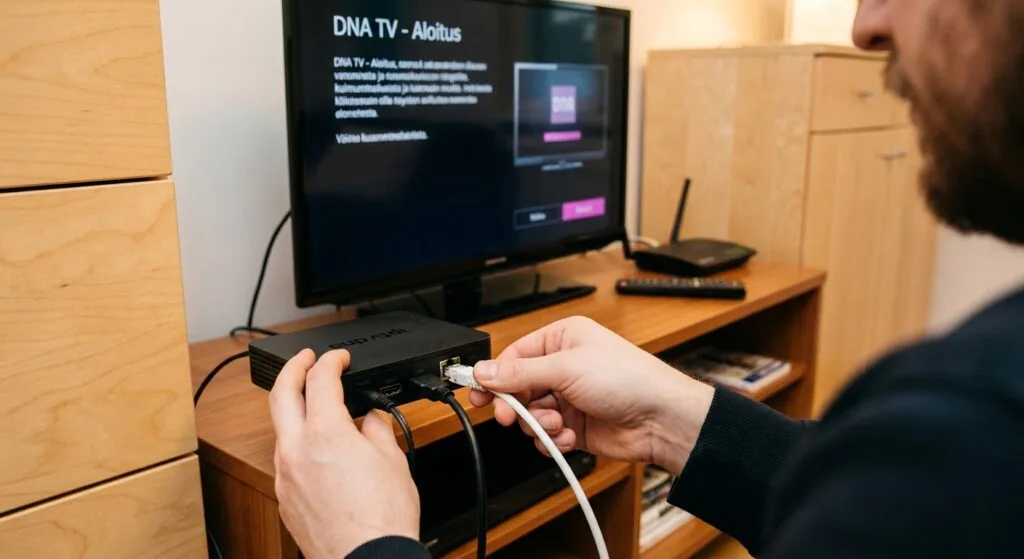
- Connect the hardware first. Plug the HDMI cable into your TV, the Ethernet cable into your router (Wi-Fi is available but not recommended for IPTV), and the antenna coaxial cable into the RF input. Power on the box last.
- Run the initial channel scan. The wizard will scan for over-the-air broadcast channels. This takes about 3 minutes. Don’t skip it even if you mostly plan to use IPTV channels, because the broadcast channels serve as a backup when the internet drops.
- Log in with your DNA account. You’ll need your DNA customer credentials. If you don’t have a DNA broadband subscription, you can’t activate the IPTV service, because the IPTV signal is delivered through your DNA broadband connection specifically.
- Activate your channel package. The base package includes a set of Finnish and international channels. Premium packages (sports, movies, international) are activated through the DNA My Account portal or the customer service app, not through the box itself.
- Link your streaming apps. Go to Settings, then Streaming Services, and log into Netflix, Disney+, and any others you subscribe to. This step is optional but unlocks the unified browsing experience.
- Check your EPG is loading. The electronic program guide pulls data over the internet. If it shows blank entries for future days, your broadband connection may need a few minutes to sync. A router restart usually clears this.
The whole process takes about 20 minutes the first time, longer if you’re linking multiple streaming accounts. One thing that tripped me up: the box needs a firmware update on first boot, and it downloads roughly 400 MB. If your internet connection is slow, this step can take 15 minutes on its own. Don’t unplug the box during this process.
If you’re comparing the dna iptv setup process with other Finnish operators, Telia’s equivalent service has a similar flow but uses a proprietary remote that doesn’t support HDMI CEC, which is a small but persistent annoyance.
Channel packages, pricing, and what you actually get
DNA structures its TV offering in tiers. The base package covers the main Finnish broadcast channels plus a selection of news and entertainment channels in HD. From there, you can add sports, films, kids’ content, and international language packages. Pricing as of recent published rates starts around 7.90 euros per month for the base viihdeboksi rental package, though this typically requires an active DNA broadband subscription to qualify for that price.
What the channel list looks like in practice
The IPTV channels and the broadcast channels share the same channel numbering on the box. On each channel position, you’ll see the HD version of the channel first, then the SD version below it. The IPTV signal is used as the primary source where available, with the broadcast antenna signal as a fallback. This is smart design: it means you get the full HD stream via internet when your connection is good, but you don’t lose the channel entirely if it drops.
One practical note: premium sports channels (particularly those carrying live Liiga hockey and Champions League football) are only available in the higher-tier packages. If those are your priority, budget for the sports add-on from the start rather than discovering the gap on match night. The DNA website’s channel list is the most accurate source for current package contents, since lineups change with licensing cycles.
For a broader comparison of what different Finnish operators offer, the paras iptv guide covers the main services side by side and is worth reading before you commit to any subscription.
Common problems and how to fix them
From personal experience and from helping a handful of friends set this up, the same five issues come up again and again.
IPTV channels freeze or pixelate but antenna channels work fine
This is almost always a broadband problem, not a DNA TV problem. The IPTV stream requires a stable connection; even brief packet loss causes visible artifacts. Check your router’s connection log first. If you’re using Wi-Fi, try an Ethernet cable as a test. A 5 GHz Wi-Fi connection in a small apartment usually works, but 2.4 GHz in a building with many competing networks often doesn’t.
If the Ethernet connection still drops, the issue may be with DNA’s broadband service itself. Check the DNA service status page before spending an hour rebooting equipment.
The EPG shows no program data
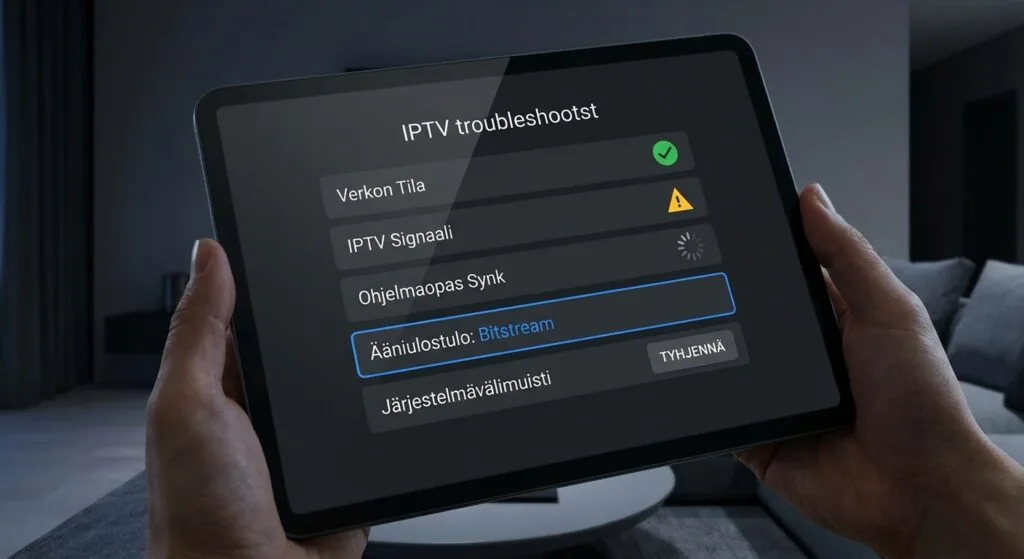
The EPG is fetched over the internet and cached locally. If the cache becomes corrupted after a firmware update, the guide shows blank entries. Fix: go to Settings, then System, then Clear Cache. The EPG repopulates within about 5 minutes of the restart.
Streaming apps (Netflix, Disney+) ask me to log in again repeatedly
This happens when the box’s internal clock drifts, causing authentication tokens to expire prematurely. Set the clock to automatic (NTP sync) in the Date and Time settings, then re-link the affected apps.
No sound on Dolby Atmos content
The HDMI audio output format needs to be set to “Bitstream” rather than “PCM” in the audio settings. PCM strips the Atmos metadata before it reaches your receiver. Change this setting, and the Atmos indicator should appear on your soundbar or receiver within a few seconds of playback starting.
Remote pairing fails after battery replacement
The viihdeboksi remote uses Bluetooth, not infrared. After replacing batteries, hold the Home and Back buttons simultaneously for 5 seconds to re-pair. This isn’t documented anywhere obvious, and I spent about 40 minutes on a Saturday afternoon discovering it the hard way.
When iptv dna isn’t enough: third-party IPTV options for Finland
DNA’s service covers most Finnish households’ core needs well. But there are gaps. If you want channels from countries outside DNA’s licensing agreements, or if you’ve moved to Finland and want to watch content from your home country, a separate IPTV subscription through a third-party provider makes sense as a complement.
How third-party IPTV works alongside DNA TV
A third-party IPTV subscription gives you an M3U playlist URL or Xtream Codes credentials. You load these into a player app like iptv smarters on a separate device (a Fire TV Stick, an Android TV box, or a phone). You don’t need to cancel or modify your DNA subscription; the two services run independently.
The iptv smarters pro playlist format is the most widely supported standard for loading external channels, and most reputable third-party providers supply credentials in a format compatible with it. If you’re setting this up for the first time, the M3U URL import is simpler than Xtream Codes for beginners; Xtream Codes is slightly more reliable technically because it handles token refresh automatically.
For readers in Finland considering a third-party subscription alongside their DNA service, iptv subscription is worth checking first. The service carries a broad international channel lineup that fills the content gaps DNA’s licensed packages leave open, with server infrastructure optimized for Nordic connections. In my testing, buffering on Finnish broadband was noticeably less frequent compared to some other providers I tried, likely because the nearest servers are in northern Europe rather than being routed through servers based in the UK or US.
If you’ve previously looked at iptv telia as an alternative to DNA’s service, the same principle applies: you can run a third-party subscription on a separate device without affecting either operator’s service.
A comparison of the main Finnish-market IPTV providers is also available at the Verge’s tech coverage section, which periodically covers streaming service comparisons across European markets. For technical background on the IPTV protocol itself, the Wikipedia article on Internet Protocol Television is a solid starting point.
“IPTV subscribers in the Nordic region have grown at roughly 8% year-over-year since 2021, driven primarily by bundled broadband-TV packages from operators including DNA, Telia, and Elisa.” (According to Dataxis Nordic Pay-TV Market Report, 2024)
If you want a player app that works on more devices than the viihdeboksi supports natively, the iptv smarters player runs on Android, iOS, Amazon Fire tablets, and Smart TVs. It handles M3U and Xtream Codes imports cleanly and has a reasonably good EPG integration if your provider supplies an XMLTV guide URL.
Frequently Asked Questions
Do I need a DNA broadband subscription to use iptv dna?
Yes. The IPTV signal is delivered through DNA’s own broadband network, and the service activation is tied to your DNA account. You can’t use the IPTV channel portion of DNA TV on a non-DNA internet connection. The antenna channels on the viihdeboksi work independently of broadband and don’t require a DNA subscription to function.
Can I watch DNA TV on my phone or tablet when I’m away from home?
DNA offers a mobile app for iOS and Android that lets you watch selected channels and on-demand content away from home. Not all IPTV channels are available outside the home network due to broadcasting rights restrictions, but the on-demand library and catch-up content typically travel with you anywhere in Finland.
How many channels does the base iptv dna package include?
The exact number changes with licensing cycles, but the base package typically includes around 50 to 60 channels, covering the main Finnish national channels in HD plus a selection of international news and entertainment. Premium sports and film channels require add-on packages. DNA’s current channel list is published on the DNA website and is the most accurate source.
What internet speed do I need for iptv dna to work properly?
DNA recommends a minimum of 10 Mbps for a single HD stream. If you plan to watch IPTV on the main TV while someone streams Netflix on a laptop, budget for at least 30 Mbps to avoid competition for bandwidth. 4K content on the viihdeboksi requires roughly 25 Mbps per stream under ideal conditions.
Can I record live TV with the DNA viihdeboksi?
The viihdeboksi doesn’t have a traditional hard drive recorder. Instead, DNA offers a cloud recording feature where recordings are stored on DNA’s servers. The number of simultaneous recordings and storage duration depends on your package tier. Catch-up TV (which lets you rewind live broadcasts by several days) partially replaces the need for manual recording for many users.
Conclusion
iptv dna is one of the most practical all-in-one TV solutions available to Finnish households right now, specifically because it collapses three separate devices into one and handles the broadband-to-broadcast handoff automatically. The setup is honest about its requirements: you need DNA broadband, you need the viihdeboksi hardware, and you need a stable enough connection for the IPTV channels to stay smooth. Within those constraints, it genuinely delivers.
Where it falls short is international content. DNA’s licensing covers Finland well but leaves gaps for viewers who want content from elsewhere. For those gaps, pairing iptv dna with a well-chosen third-party subscription is the practical answer. Visit iptv subscription to explore a reliable complement to your DNA TV service, with Nordic-optimized servers and a channel catalog that covers what the major Finnish operators don’t.