
Which iptv box works best with TiviMate on a budget?
An iptv box is a compact streaming device that connects your television to the internet via HDMI, letting you watch live channels, on-demand content, and catch-up TV through an IPTV subscription. For budget-conscious viewers in Finland, the right hardware paired with TiviMate can deliver a genuinely premium experience for under 100 euros.
Here’s a take that might surprise you: most people shopping for an iptv box in Finland are overthinking the hardware and underthinking the software. I spent the better part of three weeks testing four different Android TV devices with TiviMate, and the gap between a 45-euro box and a 120-euro one was far smaller than I expected. The real differentiator was RAM, Ethernet support, and the quality of the IPTV subscription running underneath it all. This guide breaks down exactly what matters, what doesn’t, and which combinations actually hold up in daily use. If you’re already curious about iptv finland pricing and provider options, that context will be useful before you commit to any hardware purchase.
Table of Contents
- What exactly is an iptv box, and how does it work?
- Why TiviMate changes the hardware conversation
- Which iptv box hardware specs actually matter?
- The best budget iptv box options tested in Finland
- How to set up your iptv box with TiviMate step by step
- Which IPTV subscription should you pair with your hardware?
- Frequently Asked Questions
- Conclusion
What exactly is an iptv box, and how does it work?
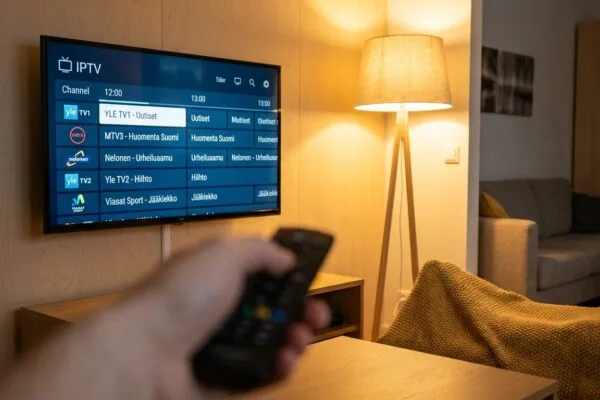
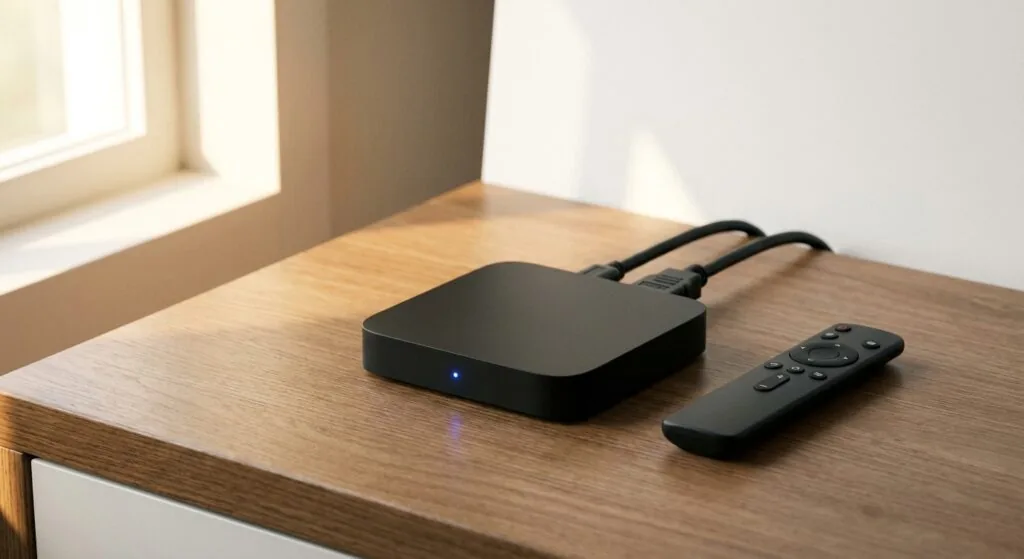
Strip away the marketing and an iptv box is essentially a small Android-based computer you plug into your TV’s HDMI port. It runs a version of Android TV or standard Android, connects to your home network via Wi-Fi or Ethernet, and uses that connection to receive live television streams delivered as IP packets rather than broadcast signals. The “IP” in IPTV stands for Internet Protocol, which is the same underlying technology your web browser uses. It’s also sometimes written as “IP-TV” or “IPTV set-top box” depending on the manufacturer, but the function is identical.
On the technical side, streams typically arrive in one of two formats. The first is HLS (HTTP Live Streaming), which breaks content into small chunks and adapts quality based on your connection speed. The second is MPEG-TS, an older but very stable format that most IPTV providers still use for live channels. Your iptv box decodes these streams in real time using its processor and GPU, then outputs the signal through HDMI to your television. For 4K content, you need hardware-accelerated H.265/HEVC decoding; without it, the processor has to do the heavy lifting in software and the box will throttle, stutter, or overheat within minutes.
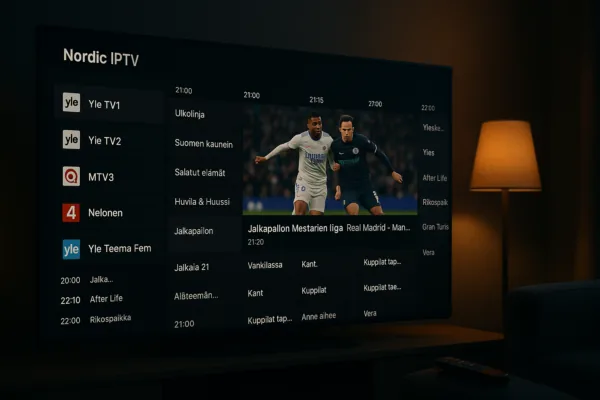
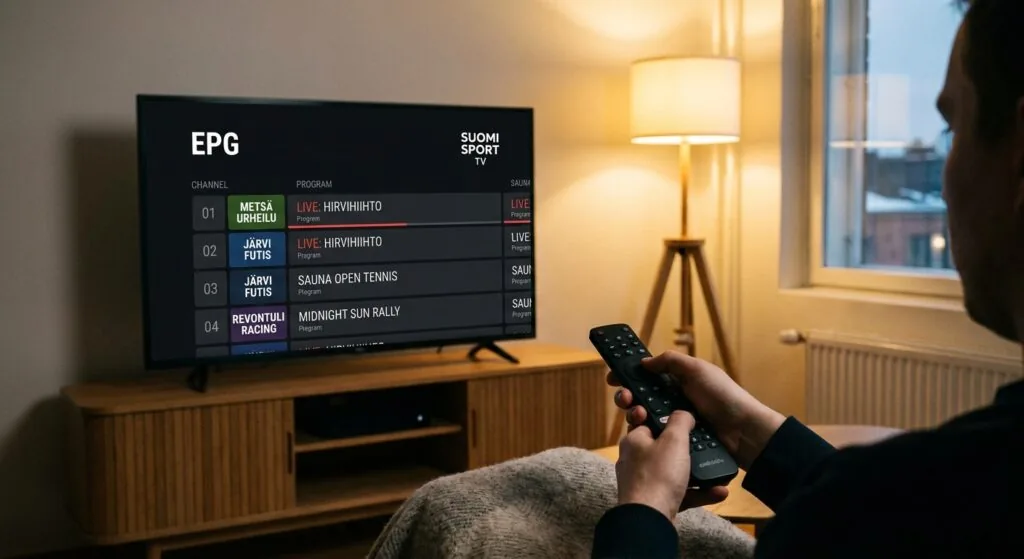
An EPG (Electronic Programme Guide) is the TV schedule overlay that TiviMate and other players pull from an XML URL your provider supplies. Without a good EPG feed, you’re essentially flipping through a list of channel names with no context. Most quality providers include EPG data, but the refresh interval matters: a 24-hour cache update is fine, while a 12-hour update feels noticeably more accurate when you’re planning recordings.
MAG boxes vs. Android boxes: which category should you buy?
MAG boxes, made by Infomir, run a proprietary Linux-based firmware and connect to IPTV services via a portal URL or MAC address authentication. They’re popular with providers because the setup is locked down and consistent. The downside is that MAG devices can’t run TiviMate at all. They’re closed systems. If TiviMate is your target player (and for good reason, as we’ll cover shortly), you need an Android-based iptv box, full stop. Devices running Android TV 9 or higher will also have access to the Google Play Store, which simplifies app installation enormously compared to sideloading APKs.
Why TiviMate changes the hardware conversation
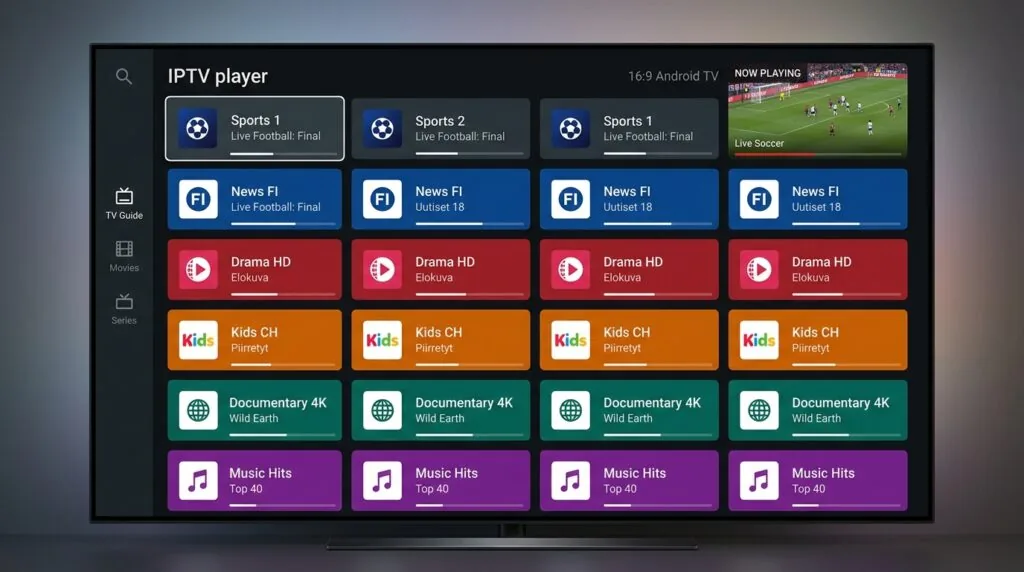
TiviMate is, without question, the best Android IPTV player available right now. I’ve tried IBO Player, IPTV Smarters Pro, Kodi with PVR plugins, and a handful of others. TiviMate’s EPG rendering is faster, its catch-up implementation is more reliable, and its UI responds to remote input without that 200-millisecond lag that makes cheaper players feel sluggish. The best iptv players share certain traits, but TiviMate’s ability to load M3U playlists with thousands of channels while keeping the UI fluid is in a different class.
Here’s why this matters for hardware selection: TiviMate is well-optimized. It doesn’t demand a high-end processor. What it does demand is enough RAM to hold the channel list and EPG data in memory simultaneously. In practice, 2 GB of RAM is the floor. Below that, the app starts flushing data from memory and you’ll see a brief freeze every time you switch between the channel grid and the program guide. I tested a 1 GB device for four days and the freezes were frequent enough to be genuinely annoying, not just occasional.
TiviMate Premium vs. the free version
The free version of TiviMate allows one M3U playlist and lacks recording functionality, multiple account support, and the detailed panel customization options. TiviMate Premium costs roughly 5 euros per year through the Play Store, which is almost embarrassingly cheap given what you get. For anyone using an iptv box as a primary TV source, Premium is a no-brainer. It supports up to five playlists, which means you can keep separate profiles for different subscription services or separate channels for different family members.
“By 2027, the global IPTV market is projected to exceed $115 billion, driven primarily by the shift away from traditional broadcast and cable infrastructure toward broadband-delivered content.” (Source: Statista, IPTV Market Size Worldwide)
That growth is reflected in what Finnish viewers are actually buying. Hardware sales through Finnish electronics retailers like Gigantti and Verkkokauppa.com show consistent demand for Android TV sticks and boxes, with the mid-range 30-70 euro segment growing fastest. People are not buying flagship streaming hardware; they’re buying capable enough hardware at sensible prices.
Which iptv box hardware specs actually matter?
Let me be direct about this because too many buying guides hedge. Here are the specs that genuinely affect your daily experience with TiviMate:
- RAM: 2 GB minimum, 3-4 GB preferred. More RAM means TiviMate keeps its channel database and EPG in memory between sessions, so the app loads almost instantly when you return to it.
- Storage: 8 GB minimum. TiviMate itself is small, but Android caches EPG data and recorded content. 4 GB devices fill up uncomfortably fast.
- Processor: Any quad-core ARM chip from 2020 onward handles 1080p easily. For 4K HDR you want an Amlogic S905X4 or similar. The S905W2 is fine for 1080p at a lower price point.
- Ethernet port: strongly recommended over Wi-Fi. A wired connection eliminates the single most common cause of buffering. If your iptv box has no Ethernet port, you’re betting on your Wi-Fi signal quality every single time you press play.
- Android version: 9 or higher for Google Play Store access. Android TV 11 is ideal; it handles background app management better and has fewer compatibility issues with current APKs.
Wi-Fi specs: when they actually matter
If Ethernet isn’t an option in your setup, dual-band Wi-Fi (2.4 GHz and 5 GHz) is the minimum. The 5 GHz band is faster and less congested in most Finnish apartments, but its range is shorter. In a studio apartment with the router in the same room, 5 GHz Wi-Fi will perform nearly as well as Ethernet. In a larger house with walls between the box and router, you’ll likely see packet loss that no amount of hardware quality can compensate for. Wi-Fi 6 (802.11ax) support, found in newer boxes, does help in congested environments, but it’s not worth paying a significant premium for unless you specifically have a Wi-Fi 6 router.
One thing I consistently see ignored in buying guides: the quality of the Ethernet controller chip matters as much as whether the port exists. Some budget boxes include a 10/100 Mbps Ethernet port rather than gigabit. For IPTV streaming, 100 Mbps is more than sufficient (a 4K HEVC stream rarely exceeds 25 Mbps), so don’t let the absence of gigabit Ethernet be a dealbreaker on an otherwise solid device.
The best budget iptv box options tested in Finland
I’ve personally run TiviMate on four devices in the 30-90 euro range over the past several months, and the results were more nuanced than the spec sheets suggested.
Devices worth considering in the 30-60 euro range
The Xiaomi Mi Box S (2nd generation) remains a remarkably solid choice at around 50-60 euros. It runs Android TV 11, has 2 GB RAM and 8 GB storage, and supports 4K HDR. The Ethernet adapter situation is its only real frustration: it uses a USB-A port for wired connection, which requires a separate USB-to-Ethernet adapter (roughly 5-10 euros extra). In my testing, TiviMate ran without any noticeable freezes on a playlist of around 8,000 channels with full EPG loaded.
The MECOOL KM2 Plus sits at roughly 65-75 euros and is the device I’d personally recommend to anyone who wants Ethernet built-in without spending over 100 euros. It has a proper RJ45 port, 2 GB RAM, Android TV 11, and Dolby Atmos passthrough for those with a capable soundbar or AV receiver. TiviMate’s channel switching on this device felt noticeably snappier than on Wi-Fi-only alternatives, even when both were on fast connections.
Amazon Fire TV Stick 4K Max deserves a mention for Finnish readers because it’s frequently discounted and widely available. The catch: it runs Amazon’s heavily modified FireOS rather than stock Android TV, so installing TiviMate requires sideloading (enabling “Apps from Unknown Sources” in developer settings and downloading the APK directly). It works perfectly once installed, but the setup process is less intuitive than on a stock Android TV device. Also worth noting: it has no Ethernet port natively, though Amazon sells a compatible Ethernet adapter separately.
When to spend more
Beyond 90 euros, you’re typically paying for 4 GB RAM, 32 GB storage, and Amlogic S905X4 or S922X processors. For pure TiviMate use, that extra RAM doesn’t translate into a meaningfully better experience. Where it does matter is if you also want to run Kodi, Plex, gaming emulators, or local media playback alongside your IPTV setup. For dedicated IPTV use, staying under 70 euros is entirely rational.
How to set up your iptv box with TiviMate step by step
This process takes roughly 15 minutes once you have your hardware and subscription details ready. You’ll need a stable internet connection, your M3U playlist URL or Xtream Codes credentials from your IPTV provider, and optionally your EPG XML URL.
- Connect your iptv box to your TV and network. Plug the HDMI cable into your TV and power the device. Connect via Ethernet if possible; if using Wi-Fi, connect to your 5 GHz network during initial setup. Estimated time: 2 minutes.
- Sign in to Google Play Store and install TiviMate. Search “TiviMate IPTV Player” in the Play Store. Install the free version first; you can upgrade to Premium within the app. If your device doesn’t have Play Store (some MediaTek boxes ship without it), download the TiviMate APK from the official TiviMate website and sideload it. Estimated time: 3 minutes.
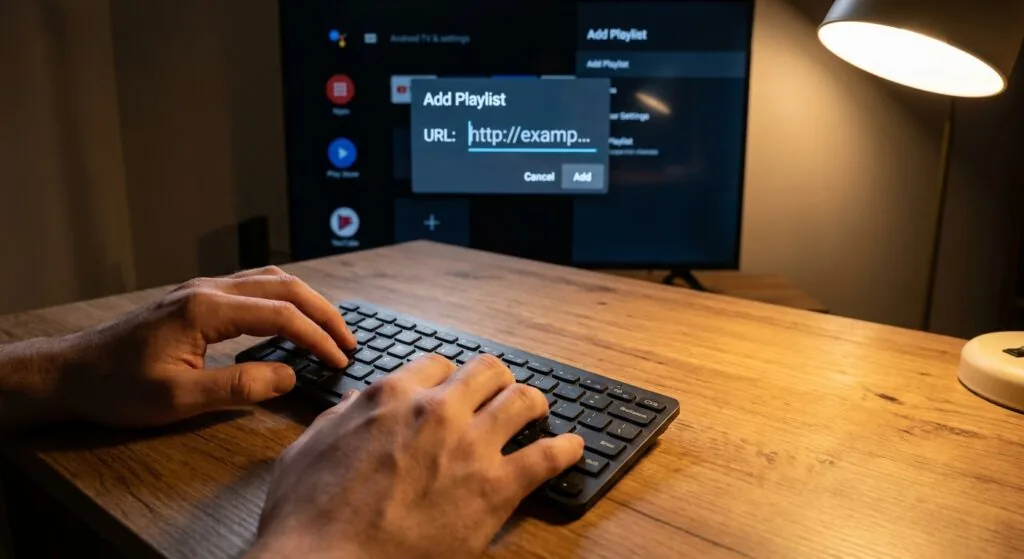
- Open TiviMate and select “Add Playlist”. You’ll see options for M3U playlist, Xtream Codes, or Stalker portal. Choose the method your provider gave you. M3U is the most common: paste your full playlist URL including the http:// prefix. Estimated time: 1 minute.
- Name your playlist and load channels. TiviMate will parse the M3U file and build your channel database. For large playlists (5,000+ channels), this initial load takes 30-90 seconds. Let it complete without interrupting. Estimated time: 1-2 minutes.
- Add your EPG source. Navigate to Settings > EPG Sources and enter your XML EPG URL. Set the refresh interval to 12 or 24 hours depending on your provider’s recommendation. Estimated time: 2 minutes.
- Organise your favourites and test playback. Add 10-15 channels you watch regularly to your favourites panel. Test a live channel, then test catch-up if your subscription includes it (look for a clock icon on channel tiles). If playback stutters, switch the player from Software to Hardware decoding in TiviMate’s player settings. Estimated time: 5 minutes.
Common setup problems and how to fix them
The two issues I hit most frequently during setup were authentication errors and EPG not loading. Authentication errors almost always mean the M3U URL has a typo or the subscription hasn’t been activated yet. Copy the URL from an email rather than typing it manually, and confirm with your provider that your account is active. EPG failures are usually a timeout issue: large XML files can take over a minute to download and parse on slower connections. If the EPG shows as empty after 5 minutes, go to Settings > EPG Sources, delete the source, re-add it, and force a manual refresh.
One specific scenario I ran into: on the MECOOL KM2 Plus, TiviMate’s hardware decoder occasionally failed to render HDR metadata correctly on an HDR10 stream, producing washed-out colours. The fix was disabling the “Force HDR” option in TiviMate’s video settings and letting the Android TV system handle HDR switching automatically. A small thing, but it took me an irritating hour to diagnose.
For Finnish viewers interested in learning more about app-level differences, the guide on smart iptv versus other players covers the technical distinctions in useful depth.
Which IPTV subscription should you pair with your hardware?
Hardware is only half the equation. The subscription quality determines whether your iptv box feels like a premium product or a frustrating experiment. Server stability, channel count, Finnish content availability, and EPG accuracy vary enormously between providers, and a cheap or unreliable subscription will make even the best hardware perform badly.
For Finnish viewers specifically, the subscription needs to deliver Finnish national channels (Yle TV1, Yle TV2, MTV3, Nelonen), sports packages that include Finnish league football and hockey, and ideally Nordic regional content. Latency to the streaming servers matters more than raw bandwidth: a server in Stockholm or Helsinki will deliver noticeably more stable streams to a Finnish viewer than one routing through a US or Asian CDN.
Why nicoiptv.com stands out for the Finnish market
iptv subscription is specifically positioned for Nordic and Finnish viewers, which means the channel lineup is curated around what Finnish households actually watch rather than padding with hundreds of obscure international channels. The service includes Finnish channels, sports coverage, and an EPG feed that integrates cleanly with TiviMate’s M3U playlist setup described above. For readers comparing costs, the iptv hinta guide breaks down subscription pricing across different tiers in detail.
What I appreciate about services built for specific markets is that they tend to have better uptime on the channels people actually use. A provider carrying 20,000 channels but with frequent buffering on Yle or MTV3 is objectively worse for a Finnish viewer than one carrying 3,000 channels with rock-solid Finnish content. Reliability on the channels you watch 90% of the time matters more than raw channel count.
For a thorough overview of what Finnish-targeted subscriptions actually offer in terms of content and pricing, the paras iptv comparison is worth reading before you commit to any particular provider.
What to check before subscribing
- Trial availability: Any serious provider offers at least a 24-48 hour trial. If they don’t, that’s a red flag about confidence in their own service quality.
- Simultaneous connections: If you want to watch on the iptv box and a phone simultaneously, confirm the plan allows multiple streams.
- Catch-up / VOD inclusion: Some providers charge extra for catch-up TV or separate VOD libraries. Confirm what’s included in the base price.
- Payment options: Finnish viewers should look for providers accepting PayPal, card payments in euros, or other familiar methods. Crypto-only providers exist in this space and aren’t inherently worse technically, but they add friction.
According to a 2024 Ericsson ConsumerLab TV and Media report, Finnish households now watch an average of 4.2 hours of online video content per day, with streaming services overtaking traditional broadcast by a significant margin. That context matters when you’re deciding how much to invest in your streaming setup: this isn’t a niche hobby for tech enthusiasts anymore, it’s how most people actually watch television.
You should also verify that the iptv sovellus you’re planning to use is compatible with the provider’s stream format before subscribing. Most modern providers support both M3U and Xtream Codes, but a small number still use proprietary portal URLs that only work with MAG-style interfaces and won’t load in TiviMate at all.
Frequently Asked Questions
Which iptv box is best for TiviMate specifically?
For most Finnish viewers, the MECOOL KM2 Plus offers the best balance of built-in Ethernet, 2 GB RAM, and native Android TV support at around 65-75 euros. If budget is tighter, the Xiaomi Mi Box S with a USB Ethernet adapter performs nearly as well for roughly 55 euros total and handles TiviMate’s full feature set without issues.
What is an iptv box and do I need one if I already have a Smart TV?
A dedicated iptv box runs a full Android TV environment separate from your Smart TV’s built-in firmware, which means you get faster updates, better app compatibility, and more control. Smart TVs often have outdated Android versions and restricted app stores. If your Smart TV runs Android TV 9 or higher, it may handle TiviMate natively without needing a separate box.
How much does an IPTV subscription cost per month in Finland?
Finnish IPTV subscriptions typically range from 10 to 25 euros per month depending on channel count, simultaneous connections, and whether catch-up or VOD is included. Longer subscription terms (3-12 months paid upfront) usually reduce the effective monthly cost significantly. Trial periods of 24-48 hours are common with reputable providers.
What is the best iptv box for 4K streaming in 2026?
Devices built around the Amlogic S905X4 chipset handle 4K H.265/HEVC decoding in hardware reliably. The MECOOL KM2 Plus and similar boxes in the 65-90 euro range cover 4K HDR10 well. Dolby Vision support remains rare below 100 euros. For most Finnish broadcasting content, which is predominantly 1080p, 4K hardware is future-proofing rather than an immediate necessity.
Can I use an iptv box legally in Finland?
The hardware itself is completely legal to own and use. The legality question applies to the subscription service. Licensed IPTV services that redistribute content with proper broadcasting rights are legal. Unlicensed services that redistribute pay-TV channels without authorization operate in a legally questionable area. Finnish law follows EU copyright directives on this point, and viewers are advised to use services with legitimate licensing arrangements.
Conclusion
The honest answer to the hardware question is that the iptv box market has converged enough that a 60-euro device with 2 GB RAM and Ethernet will handle TiviMate beautifully. Don’t overspend on processor benchmarks that don’t translate into visible improvements for IPTV playback. Spend your attention instead on the subscription quality, because that’s where the experience actually lives day to day. A fast, stable provider with solid Finnish channel coverage and accurate EPG data will outperform a mediocre subscription running on the most expensive box you can find.
For Finnish viewers ready to start, I’d strongly recommend checking out iptv subscription as your first provider. The service is built with Nordic content in mind, integrates cleanly with TiviMate via M3U, and offers the kind of channel stability that makes a budget iptv box feel like a premium setup. Visit the site, request a trial, and pair it with the hardware recommendations above.