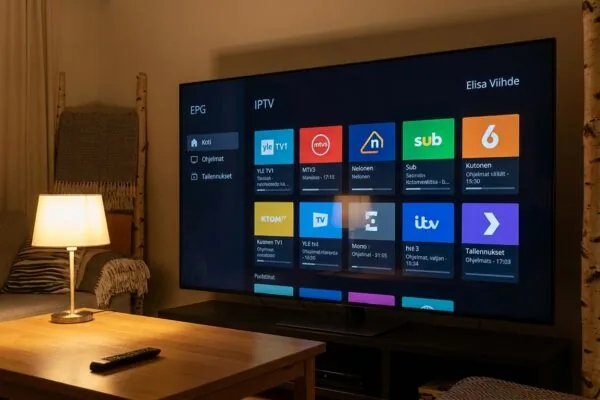
What an iptv app actually does and how it works
An iptv app is a media player that receives television channels delivered over an internet connection instead of a cable or satellite signal. You load a playlist file (usually M3U or M3U8), connect to a subscription service, and the app streams live TV, on-demand content, and electronic program guide data directly to your screen.
Picture this: you’ve just signed up for an IPTV subscription, the provider sent you a link and a password, and now you’re staring at your phone wondering what to do next. You need an iptv app, which is the software layer between the stream URL your provider gave you and the actual picture on your screen. Without it, those credentials are useless. This guide explains how these players work under the hood, which ones are worth installing on which devices, and how to get a channel list running in under ten minutes.
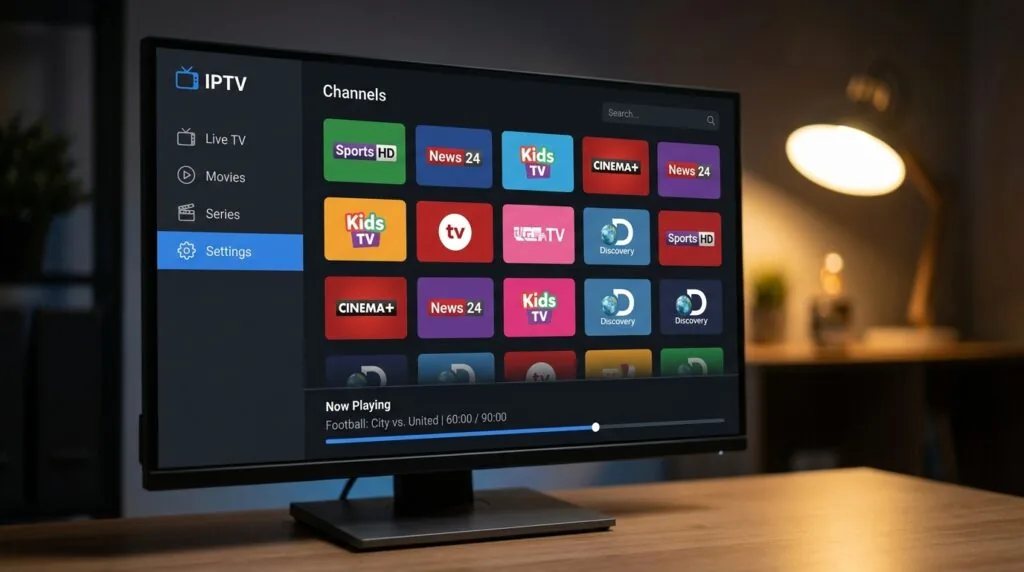
Table of Contents
- What an iptv app actually is (and what it isn’t)
- The technology behind it: M3U, Xtream Codes, and EPG
- Which iptv app works on which device
- How to install and configure an iptv app step by step
- Common problems and how to fix them
- Choosing an IPTV subscription for Finland
- Frequently Asked Questions
- Conclusion
What an iptv app actually is (and what it isn’t)
The confusion I see most often is people treating the player and the subscription as the same thing. They’re not. An iptv app is just a vessel, like a web browser. The browser doesn’t create the websites; it displays them. Similarly, the app doesn’t own any channels. It reads a playlist URL that points to streams hosted on a provider’s servers, and it renders those streams on your screen.
So when someone asks “which iptv app has Finnish channels?”, the honest answer is: none of them, by themselves. The channels come from whichever subscription service you connect to. The app is the interface. This distinction matters because you can take the same M3U playlist and load it into four different players, and they’ll all show the same channels with different user interfaces and reliability characteristics.
The player vs. the service
Players are generally free or cost a one-time fee of a few euros. Services charge a recurring monthly or annual fee. Some providers bundle a proprietary app with their subscription (you get both from the same company), but even then, the app is technically separable from the stream source.
Well-known standalone players include TiviMate, IPTV Smarters Pro, OTT Navigator, XCIPTV, and IBO Player. Each has different strengths: TiviMate is widely considered the most polished Android TV experience, while iptv smarters is popular because it supports Xtream Codes login directly, which makes initial setup faster than pasting a raw M3U link.
According to a Broadband Forum industry report, global IPTV subscriptions exceeded 280 million by the end of 2023, and that number has continued rising as broadband penetration improves in Nordic countries including Finland. The infrastructure is mature. The apps have caught up.
“IPTV now accounts for more than 35% of all pay-TV subscriptions globally, a figure driven by the shift from fixed satellite and cable infrastructure toward flexible IP-based delivery.” Broadband Forum, 2023 Annual Report
Mini-takeaway: Download the player for free. Pay only for the subscription that provides the channels you want.
The technology behind it: M3U, Xtream Codes, and EPG
You don’t need to understand every protocol to use an iptv app, but knowing the basics saves you hours of troubleshooting. Three terms come up constantly, and they mean specific things.
M3U and M3U8 playlists
An M3U file is a plain text document that lists stream URLs, one channel per entry. Each entry includes a channel name, optional logo URL, optional EPG ID, and the actual stream address (usually an HLS link ending in .m3u8 or an RTSP address). Your provider gives you either a direct URL to this file or a file to download and import manually.
M3U8 is just M3U encoded in UTF-8, which handles non-Latin characters (Finnish channel names, for instance) without breaking. If you’ve ever imported a playlist and seen garbled text for channel names, you loaded a standard M3U file into a player that expected UTF-8. The fix is usually switching the file encoding in a text editor before reimporting.
Xtream Codes API
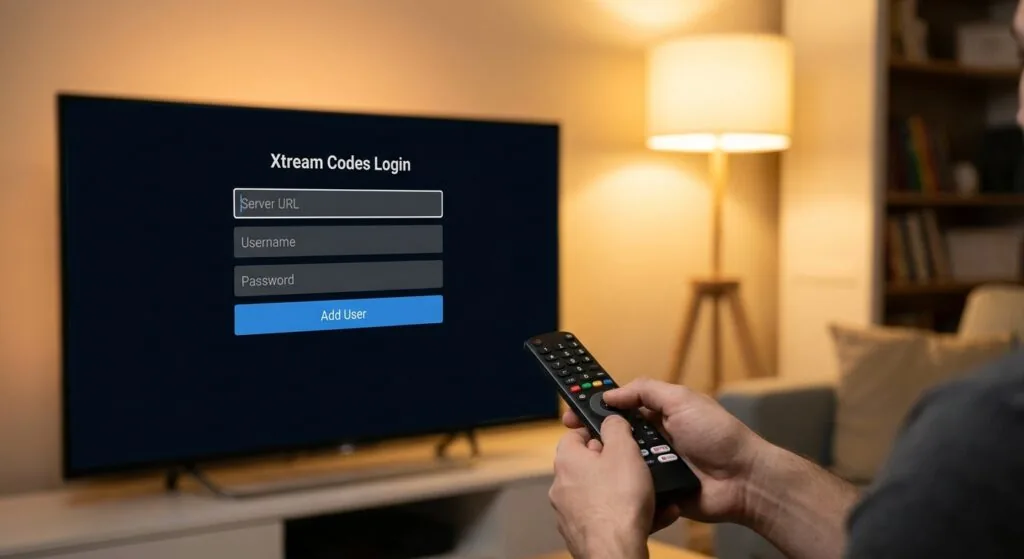
Xtream Codes is a server management panel that many IPTV providers use. Instead of a raw M3U link, your provider gives you a server URL, a username, and a password. The player then queries the Xtream API to fetch the channel list, VOD library, and series catalog dynamically. This is more flexible than a static M3U file because the provider can update channels without sending you a new link.
The practical upside: when a provider adds 50 new channels, they appear automatically in your player the next time it refreshes. With a static M3U, you’d need a new file. Most serious IPTV subscriptions today offer Xtream Codes credentials rather than raw M3U links, and most good players support both.
EPG (Electronic Program Guide)
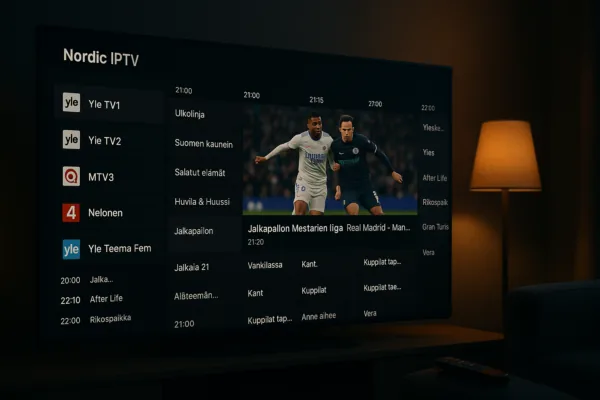
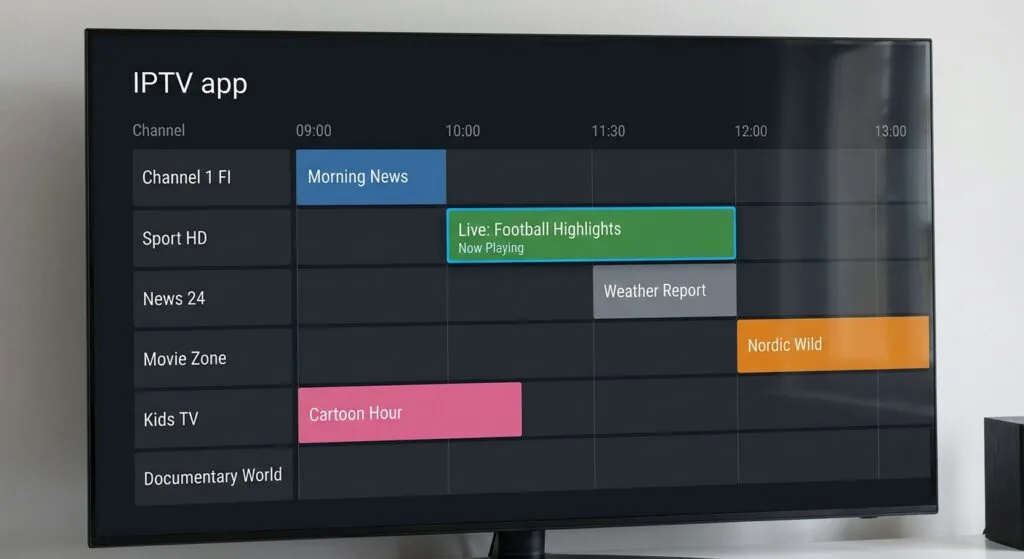
EPG data is what populates the on-screen TV guide with program names, start times, and descriptions. Without it, you see a channel list but no schedule. The data comes from an XMLTV-formatted URL that the player fetches separately, usually once every 24 hours. Some providers bundle EPG with the subscription; others expect you to configure a third-party XMLTV source like EPG.best.
For Finland specifically, getting EPG right matters because Finnish broadcasters (Yle, MTV3, Nelonen, and others) air content on a schedule that viewers actively use for planning. A player without EPG feels noticeably incomplete compared to a traditional cable box.
Mini-takeaway: Xtream Codes login is faster to configure and more future-proof than a static M3U link. Ask your provider which method they support before you choose a player.
Which iptv app works on which device
Device compatibility is where a lot of people get stuck. The app ecosystem fragments by operating system, and not every player runs on every platform. Here’s a practical breakdown based on what I’ve tested across different setups over the past year.
Android and Android TV / Google TV
Android is the most flexible environment. You can sideload APK files if a player isn’t on the Play Store, which opens up options that Google has restricted. TiviMate is the gold standard for Android TV boxes and sticks, largely because its interface mimics a traditional TV guide better than anything else at its price point (roughly 4 euros per year for the premium tier). OTT Navigator is a strong free alternative with a slightly steeper learning curve.
For checking out the best iptv players specifically ranked for Android and Fire TV, the differences in buffer management and UI responsiveness become clear when you test them side by side on the same stream.
Amazon Fire TV and Fire Stick
Fire devices run a forked version of Android, so most Android IPTV players work here too, but you often need to enable “install from unknown sources” in the device settings to sideload them. The Downloader app is the standard tool for this. IPTV Smarters Pro and TiviMate both run well on Fire Stick 4K. I tested IPTV Smarters on a Fire Stick 4K Max last spring and it handled 4K HEVC streams without dropping frames, which isn’t guaranteed on older Fire Stick models.
iOS and Apple TV
The App Store is more restrictive. IPTVX and GSE Smart IPTV are the two most capable options on iOS and tvOS. IPTVX in particular has a genuinely premium interface across iPhone, iPad, and Apple TV. The limitation: you can’t sideload on iOS without developer tools, so you’re limited to what Apple approves.
Windows and macOS
VLC Media Player handles M3U playlists on both platforms and costs nothing, though its TV-guide interface is minimal. For a proper EPG-driven experience on Windows, Kodi with the PVR IPTV Simple Client plugin is the most capable free option. It takes about 20 minutes to configure correctly but offers more customization than any dedicated IPTV player I’ve seen.
Smart TVs (Samsung Tizen, LG webOS)
This is the weakest area. Samsung and LG don’t allow third-party IPTV players on their native OS through official stores. The practical workaround is connecting an Android TV stick or box (like an Nvidia Shield or a cheap X96 box) to an HDMI port and running your player on that. I haven’t tested any native Tizen solution that I’d actually recommend to a Finnish viewer wanting a reliable daily driver.
Mini-takeaway: Android TV boxes give you the most flexibility. If you own a Fire Stick, you’re 90% of the way there. iOS works but with a shorter list of quality players.
How to install and configure an iptv app step by step
This walkthrough uses IPTV Smarters as the example because it’s available on Android, iOS, and Fire TV, and its Xtream Codes setup is the most beginner-friendly I’ve used. The same logic applies to other players with minor menu differences.
You’ll need a stable internet connection (15 Mbps minimum for HD; 25 Mbps for 4K), your subscription credentials, and about 10 minutes.
- Download the app. Search “IPTV Smarters Pro” on the Google Play Store, Apple App Store, or use Downloader on Fire TV to grab the APK from the developer’s official site. Don’t download from random APK mirror sites; there are cloned versions with adware.
- Open the app and select your login method. You’ll see options for “Login with Xtream Codes API”, “Load your playlist through URL”, or “Load playlist from file”. If your provider gave you a username, password, and server URL, choose the Xtream Codes option. If they gave you an M3U link, choose URL.
- Enter your credentials. For Xtream Codes: paste the server URL (it usually looks like http://yourprovider.com:port), then your username and password. For M3U: paste the full playlist URL. Tap “Add User” or equivalent.
- Wait for the playlist to load. Depending on how many channels your subscription includes, this can take 10 seconds to 2 minutes. A subscription with 10,000+ channels takes longer on the first load.
- Configure EPG. Go to Settings and look for the XMLTV/EPG URL field. Paste the EPG URL your provider supplied. If they didn’t supply one, ask them or find a compatible XMLTV source for Finnish channels. Set the refresh interval to 24 hours.
- Browse and test. Navigate to Live TV, find a Finnish channel (Yle TV1 or MTV3 are good test cases), and play it. If it buffers immediately, the problem is almost always either your internet speed or a server-side issue with your provider, not the app itself.
- Set a favorite list. Mark the 10-15 channels you actually watch regularly. This makes daily use dramatically faster than scrolling through thousands of channels every time.
The whole process took me 8 minutes on a fresh Android TV box. The EPG configuration added another 3 minutes but is worth doing immediately rather than leaving it until later.
Common problems and how to fix them
Every IPTV setup has at least one frustrating afternoon in it. Here are the issues I’ve run into personally and the fixes that actually worked.
Buffering and freezing
The most common complaint by far. Before blaming the app, check your connection speed. Run a speed test at fast.com while the buffer is happening. If you’re getting the speed you pay for, the problem is usually one of three things:
- Server overload at peak times (evenings, weekends): your provider’s servers may be undersized for their subscriber base. The fix is switching to a different stream quality if your provider offers multiple bitrate options, or switching providers.
- WiFi interference: IPTV is more sensitive to packet loss than regular web browsing. A 5% packet loss rate on WiFi causes visible stuttering. Use a wired Ethernet connection or move closer to the router.
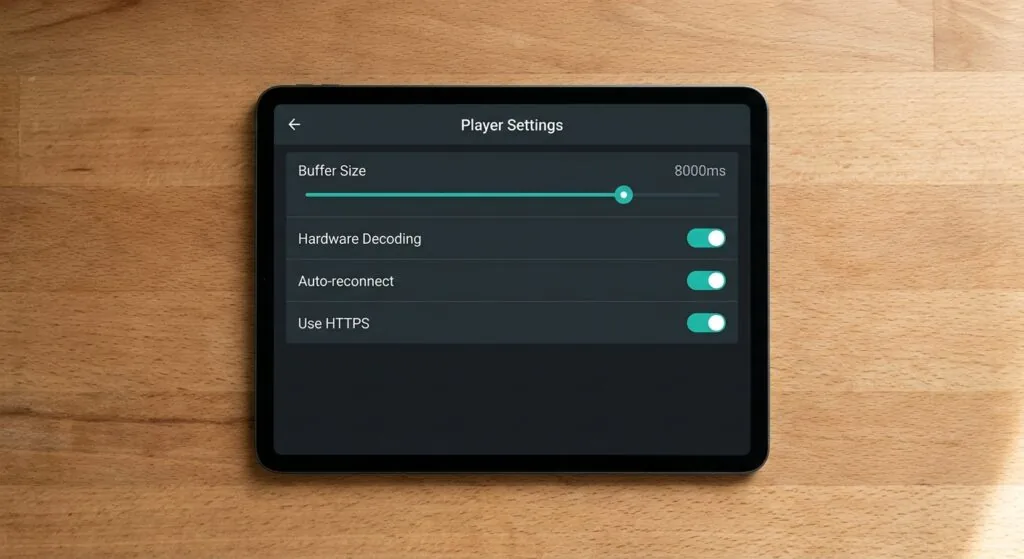
- Player buffer settings: TiviMate and most players let you increase the buffer size manually. Setting it to 5,000-10,000ms often eliminates intermittent freezes on borderline connections.
Channels showing as offline
A channel that was working yesterday but shows as offline today usually means the stream URL changed on the provider’s end. Refresh your playlist (most players have a “reload playlist” option in settings). If the channel stays offline after a refresh, it’s a provider issue, not a player issue. Contact support.
EPG not showing program data
Check that the XMLTV URL is still valid by pasting it into a browser. If the file downloads, the URL works. If the player still doesn’t show guide data, the channel IDs in your playlist and the EPG file may not match. Some players have an EPG mapping feature that lets you manually pair channels to guide entries.
App crashes on launch
On Android, this is almost always a cached data problem. Go to Settings, find the app in the app list, and clear cache and data. The app will need to re-download your playlist, which takes 1-2 minutes. On Fire TV, I’ve seen this happen after firmware updates; a full device restart before clearing cache usually helps.
For a deeper look at how smarters iptv handles some of these edge cases differently from other players, particularly around stream retry logic, the configuration options are more granular than they appear at first glance.
Mini-takeaway: 80% of buffering problems are network or provider issues, not app bugs. Eliminate those first before reinstalling anything.
Choosing an IPTV subscription for Finland
The iptv app is only half the equation. Getting a reliable subscription matters more in the long run, especially if you want Finnish-language channels, local news, and Finnish sports coverage without constant interruptions.
What to look for in a Finnish IPTV subscription
- Finnish channel coverage: At minimum, Yle TV1, Yle TV2, MTV3, Nelonen, and Ruutu. Ideally also regional channels and Finnish sports packages.
- Server location: Providers with servers in or near Finland (Sweden, Germany, or the Netherlands are acceptable alternatives for latency) will deliver more consistent streams than providers routing traffic through servers in Asia or the Americas.
- Connection limits: Most subscriptions allow 1-2 simultaneous connections. If you want to watch on your TV and your phone at the same time, confirm the connection count before buying.
- Trial period: Any provider worth their subscription price offers at least a 24-48 hour trial. If they don’t, treat that as a red flag.
- Customer support responsiveness: IPTV services occasionally have stream outages. A provider that responds within a few hours versus one that takes days makes a meaningful difference in daily experience.
Why nicoiptv.com stands out for Finnish viewers
iptv subscription at nicoiptv.com is one of the stronger options I’ve seen for viewers in Finland. The service covers Finnish channels alongside a broad international catalog, which matters if you have family watching content in different languages. The subscription tiers include multi-connection options, and the server infrastructure is positioned to keep Nordic latency low.
What I appreciate practically is that they support both Xtream Codes and M3U playlist connections, so you can load the service into any player you already know: TiviMate, IPTV Smarters, OTT Navigator, or any other compatible client. You’re not locked into a proprietary app.
For viewers curious about how Finnish ISP-bundled options compare to third-party IPTV services, looking at iptv telia gives useful context on what traditional operators include versus what independent subscriptions typically offer beyond that baseline.
The Wikipedia overview of IPTV technology is worth reading if you want to understand the technical standards (like IGMP multicast and HLS) that underpin what these services actually deliver. It helps set realistic expectations about what “HD” and “4K” mean in an IPTV context.
Also useful as a reference point: if you’re comparing Finnish-specific IPTV options against providers serving other Nordic markets, checking what set iptv covers gives a sense of how feature sets differ across regional services.
Mini-takeaway: Don’t pay a full month before testing. A reputable provider will always offer a trial. If they won’t, that’s your answer.
Frequently Asked Questions
What is the difference between an iptv app and a streaming service like Netflix?
An iptv app plays live TV channels delivered over IP networks, typically from a subscription provider, and requires an M3U or Xtream Codes source to function. Netflix and similar services are self-contained platforms that own their content delivery. An IPTV player without a subscription shows nothing; Netflix works out of the box once you log in.
Is there a free iptv app that doesn’t require a subscription?
Several players are free to download (TiviMate has a free tier, GSE Smart IPTV is free, OTT Navigator is free). Some also come with a small set of public M3U playlists containing free-to-air channels. However, the free channel lists are unstable and rarely include Finnish content reliably. A paid subscription is the practical choice for consistent quality.
How much does a typical IPTV subscription cost per month?
Monthly pricing for quality services ranges roughly from 10 to 20 euros per month, with significant discounts for 6-month or annual plans. Some providers charge as little as 5-8 euros monthly on long-term plans. Anything under 5 euros should be scrutinized carefully for stream reliability and customer support quality.
Which iptv app is best for a Fire TV Stick?
IPTV Smarters Pro and TiviMate are the two strongest options. Smarters is easier to set up from scratch. TiviMate has a more polished TV-guide interface but requires sideloading on Fire TV. Both handle HD streams well on a Fire Stick 4K; performance on older 1080p sticks is more variable depending on stream bitrate.
Can I use an iptv app on multiple devices with one subscription?
Most subscriptions allow between 1 and 4 simultaneous connections depending on the plan tier. You can install the player app on as many devices as you like, but you can only actively stream on the number of connections your plan permits. Exceeding the connection limit typically results in one stream dropping when a new one starts.
Conclusion
An iptv app is the software layer that turns a subscription’s stream URLs into a usable TV experience. Get that distinction clear and the rest falls into place: pick a player that fits your device, configure it with your provider’s Xtream Codes or M3U credentials, sort out EPG, and you’re done in under 15 minutes.
For Finnish viewers specifically, the channel coverage and server proximity of your subscription matter more than which player you choose. Most good players are free or close to it. The service is where the real differentiation happens. If you want a reliable starting point, visit iptv subscription at nicoiptv.com to check their current plans and trial options. It’s a solid place to start without committing to a full subscription before you’ve tested the streams on your actual setup.