iptv smarters player lets you watch M3U channels on any screen
The iptv smarters player is a dedicated media app that reads M3U playlists and Xtream Codes to stream live TV, movies, and series on Android, iOS, Windows, and Smart TVs. It’s free to download, works with any IPTV subscription, and takes roughly five minutes to set up from scratch.
I first ran into the iptv smarters player during a particularly frustrating Tuesday afternoon about four years ago, when a colleague at the office passed me an APK link and said, “just try it, it’s the cleanest IPTV interface I’ve seen.” He wasn’t wrong. Since then I’ve watched it grow from a niche Android tool into something that’s become the default recommendation whenever someone in Finland asks how to get their M3U playlist onto a TV screen without buying dedicated hardware. It supports multiple connection methods, handles EPG (electronic program guide) data, and runs on practically every consumer device. The app also goes by the name IPTV Smarters Pro in some of its paid variants, but the core product remains consistent across platforms.
Table of Contents
- What the iptv smarters player actually is
- Supported devices and where to download it
- How to set it up: three connection methods explained
- Key features worth knowing about
- Pricing: free vs paid tiers
- Common problems and how to fix them
- Frequently Asked Questions
- Conclusion
What the iptv smarters player actually is
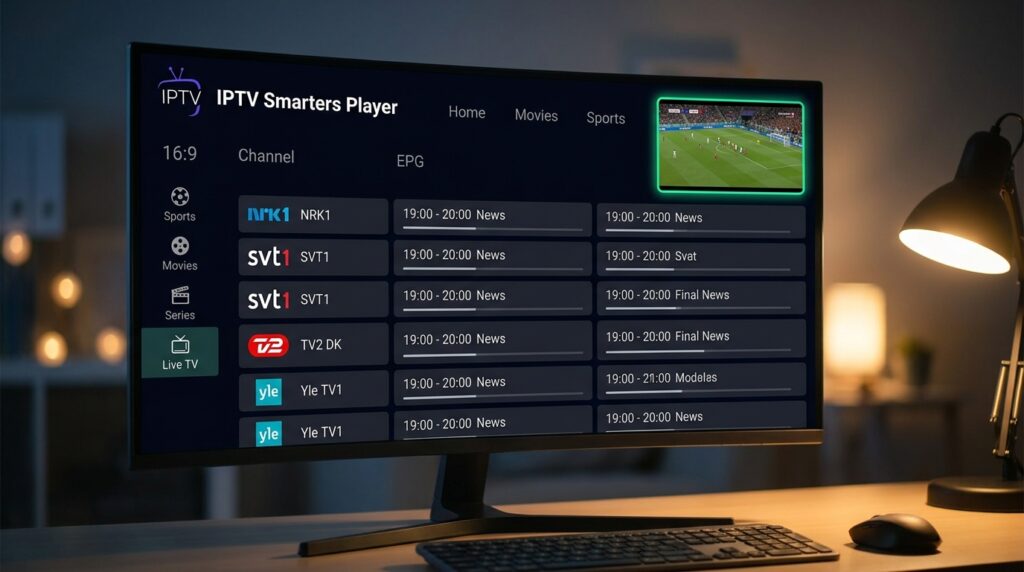
Strip away the marketing language and you’re looking at a media player that doesn’t host any content itself. That’s the part most newcomers get wrong. The app is a client, not a service. It reads structured playlist files, connects to streaming servers, and presents the output in a polished interface with a channel grid, a VOD library view, and a catch-up section where providers have enabled it.
The underlying technology involves two things working in parallel. First, the M3U file format, which is a plain-text playlist standard originally designed for audio but long since adapted for IPTV streams. Second, the Xtream Codes API, a server-side protocol that handles authentication and channel delivery for most commercial IPTV providers. The iptv smarters player handles both natively, which is why it became the go-to app: you don’t need a separate player for VOD and a separate one for live TV.
Developed by Smarters Technology, the app has gone through several versions across different storefronts. You’ll see “Smarters Player Lite” on some app stores and “IPTV Smarters Pro” on the developer’s own site. The Lite version covers everything a typical user needs. The Pro label generally indicates a paid upgrade with additional multi-screen and recording features.
Why this matters for Finnish viewers specifically
Finland has a reasonably well-served broadcast landscape through Yle and commercial broadcasters, but anyone chasing international sports, foreign-language content, or niche cable channels will hit a wall fast. The iptv smarters player fills that gap by acting as a neutral delivery layer: you bring your own content provider, the app just plays it. That’s a meaningful distinction from services like Viaplay or C More, which are walled gardens. For a deeper comparison of how this client model differs from dedicated players, What makes smart iptv different from other IPTV players? is worth reading before you commit to any single setup.
The app’s legal status is the same as VLC or any other media player: the software itself is neutral. What matters is whether the content your provider streams is licensed. That’s on the provider, not the app.
Supported devices and where to download it
The device coverage is genuinely broad. Android phones and tablets via the Google Play Store, iPhones and iPads through the App Store, Windows PCs through the Microsoft Store, Amazon Fire TV and Firestick (sideloaded via APK or through the Amazon Appstore), Android TV boxes, and certain Smart TV platforms. The experience varies by device, but the core functionality stays consistent.
Download sources by platform
- Android (phones, tablets, Android TV boxes): Google Play Store, search “Smarters Player Lite” or “IPTV Smarters”
- iOS and iPadOS: App Store, search “Smarters IPTV Player”
- Windows 10/11: Microsoft Store, listed as “Smarters IPTV”
- Amazon Fire TV / Firestick: Amazon Appstore or sideload the APK using the Downloader app
- MAG boxes: Not directly supported; MAG devices use a portal URL system instead
- Samsung/LG Smart TVs: Not natively available in their respective stores; Android TV box connected via HDMI is the workaround
One thing that catches people off guard: the Firestick installation requires enabling “Apps from Unknown Sources” in the device settings if you’re going the APK route. It takes about 90 seconds to toggle and doesn’t void any warranty. Amazon’s own Appstore version is simpler but occasionally lags behind the current APK in terms of features.
On device compatibility, there’s a practical consideration that doesn’t get mentioned often enough. Older Android TV boxes running version 7.0 or below can struggle with the newer builds of the app, particularly when rendering the EPG grid. For instance, iptv subscription ships a configuration guide that specifically covers Android TV 8.0 and above, which reflects where the real-world compatibility floor sits for smooth performance in 2025. If your box is older, the Lite version tends to be lighter on resources than the Pro build.
For a thorough walkthrough of the app’s architecture and what the different interface sections actually do, A closer look at the iptv smarters video player app goes into more detail than I can fit here.
How to set it up: three connection methods explained
This is where most guides go vague when they shouldn’t. There are three distinct ways to connect the iptv smarters player to your content provider, and which one you use depends entirely on what your provider gives you.
Method 1: Xtream Codes login (most common)
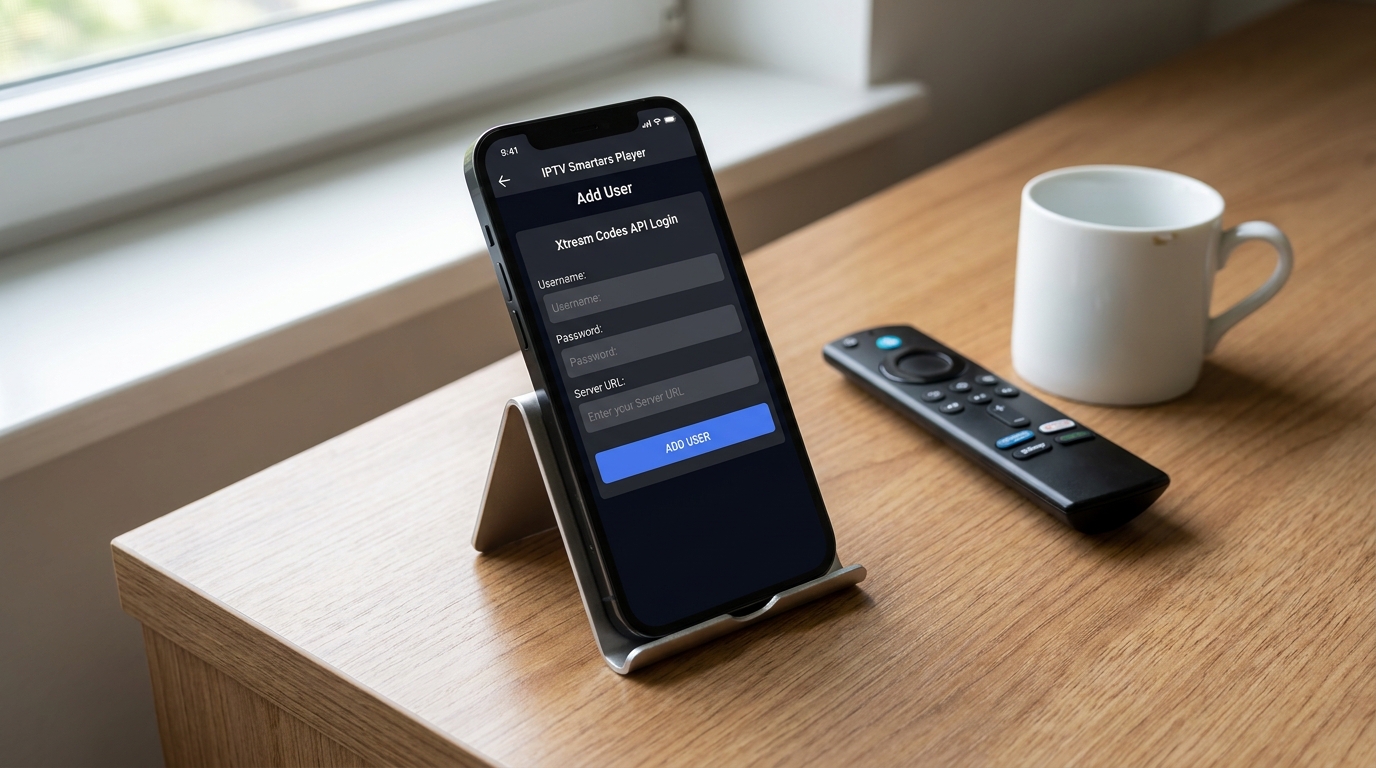
If your provider gave you a username, password, and a server URL, this is the method you want. Open the app, tap “Add User,” select “Login with Xtream Codes API,” and enter the three pieces of information. The app will pull the channel list, VOD library, and EPG data directly from the server. This method also supports catch-up TV where available and tends to load channel lists faster than the M3U route because the data is structured at the API level.
Method 2: M3U URL
Some providers deliver a direct M3U link instead of Xtream credentials. Paste it into the “M3U URL” field when adding a new user. The app will parse the playlist and organise channels into the groups your provider has defined. EPG usually requires a separate XMLTV URL, which your provider should also supply. Refresh intervals matter here: set the M3U to refresh every 24 hours so you pick up channel list changes automatically.
Method 3: Local M3U file
Less common, but useful if you’ve downloaded an M3U file to your device. Select “Load Your Playlist or File/URL” and navigate to the file. This works well for testing a playlist before committing to a subscription, or for situations where your internet connection is intermittent and you want to cache the channel list locally.
A word on the setup flow for Finnish users specifically: the app’s interface defaults to English, and there’s no Finnish localisation as of the current builds. That’s fine for most people, but it’s worth knowing before you hand a tablet to a family member and expect them to self-configure it.
For the specific playlist format requirements that the app expects when things aren’t loading correctly, The playlist format that iptv smarters pro actually requires is one of the more technically accurate resources I’ve found on the subject.
Key features worth knowing about
The feature set has expanded considerably since the early versions. Some of these get overlooked in basic setup guides.
Electronic Program Guide (EPG)
The EPG integration is one of the stronger aspects of the iptv smarters player. When your provider supplies an XMLTV feed, the app renders a full grid-style program guide that’s navigable by date and time. You can also set reminders for upcoming programs, which works through the device’s local notification system. The grid loads within a few seconds on a stable connection, though on slower networks it can take up to 20 seconds on the first load of the day.
Multi-screen and multi-user profiles
The app supports multiple user profiles within a single installation. Practically, this means a parent can add their provider’s Xtream credentials and a student can add a separate subscription, all on the same device without one overwriting the other. Useful for shared households.
Parental controls
There’s a PIN-based parental lock that restricts access to adult-rated channels when providers have tagged them correctly. Not every provider does, so the effectiveness depends on your specific service. But the infrastructure is there.
External player support
For streams that the internal player struggles with (certain codec combinations, unusually high bitrate 4K streams), you can route playback to VLC or MX Player. This is a genuine quality-of-life feature that most competing apps don’t offer. I’ve used it specifically for 4K HDR streams on an older Android box where the internal decoder was causing frame drops.
- Catch-up TV: Replay past broadcasts up to 7 days back (provider-dependent)
- Picture-in-picture: Available on Android 8.0 and above
- Series organisation: VOD content sorted into seasons and episodes when providers structure it correctly
- Favourites: Channel-level bookmarking across categories
Pricing: free vs paid tiers
The iptv smarters player itself costs nothing to download. That’s consistent across the Google Play, App Store, and Microsoft Store versions. The Smarters Player Lite variant is entirely free with no trial period or content restrictions on the player side.
The Pro version, sold through the developer’s own site at iptvsmarters.com, adds features like multi-screen viewing (watching two channels simultaneously), a recording function (to local storage), and priority support. Pricing for Pro has historically sat in the 15-20 USD range as a one-time purchase, though the developer has experimented with subscription models. Check the official site for current pricing since this changes more often than I’d like.
What you actually pay for
The real cost is your IPTV subscription, not the app. Finnish viewers shopping for a content provider will find pricing that ranges from roughly 8 euros per month at the low end to 20+ euros for packages with large channel counts and 4K options.
To put that in concrete terms: compare a standard cable TV package in Finland, which runs around 30-45 euros monthly with a box rental fee on top, against an IPTV subscription. For example, iptv subscription‘s entry-level tier sits well below that cable figure while covering most of the same international channel categories, though you’d obviously need to verify the specific Finnish and Nordic channels are included before switching over. The app itself adds nothing to that monthly cost.
For a breakdown of what subscription tiers typically look like in the Finnish market, Is iptv finland worth the monthly subscription cost? runs through the numbers in detail.
Common problems and how to fix them
After years of covering this space, I’ve noticed that roughly 80% of support questions about the iptv smarters player fall into four categories. Here’s what’s actually happening and how to address it.
Channels not loading or showing “No Data”
Nine times out of ten this is a credentials issue, not an app bug. Double-check that the username, password, and server URL are entered exactly as provided, with no trailing spaces. URLs are case-sensitive. Also confirm your subscription is active: providers do suspend accounts for non-payment, and the error message the app shows is often generic rather than saying “your subscription expired.”
Buffering on live channels
Buffering usually comes from one of three sources: your internet connection speed, the provider’s server load, or a codec mismatch. For the first, you want at least 25 Mbps for HD streams and 50+ for 4K. For the second, try switching the stream quality from “Auto” to a fixed lower resolution in the player settings. For codec issues, try enabling hardware acceleration in the app’s playback settings, or route to an external player as described above.
“Global IPTV traffic is expected to account for over 35% of all video streaming by 2027, with Android-based players leading in active installations across European markets.” (according to Statista’s streaming market analysis)
EPG not showing programme data
EPG data requires a working XMLTV URL from your provider. If the EPG section shows empty time slots, check whether your provider supplies a separate XMLTV link, and enter it under Settings in the app. Some providers bundle EPG into the Xtream Codes API automatically; others require manual configuration. Forcing an EPG refresh (Settings > EPG > Force Refresh) often clears stale data issues.
App crashing on Fire TV Stick
The Firestick’s limited RAM (1 GB on older models) can cause the app to crash when loading large channel lists, particularly playlists with 10,000+ channels. The fix is either to use a provider with a trimmed playlist or to enable the “Load Channels Lazily” option in the app settings, which defers loading non-visible channels until you navigate to them.
For a broader troubleshooting context, especially if you’re running a Nordic-focused channel setup, How to set up iptv nordic on your TV in Finland covers the configuration steps specific to Finnish and Scandinavian channel groups. And if you’re still evaluating whether Nordic-specific IPTV services make sense for your viewing habits, 5 things to know before subscribing to nordic iptv is a solid pre-purchase read.
Frequently Asked Questions
Is the iptv smarters player free to download and use?
The Smarters Player Lite version is completely free on Google Play, the Apple App Store, and the Microsoft Store. There are no in-app purchases required for basic functionality. A paid Pro version with additional features like multi-screen and recording exists on the developer’s site, but it’s optional for most users.
Is using IPTV smarters legal in Finland?
The iptv smarters player software is legal. It’s a media player, similar legally to VLC. Legality depends on your content provider: if they hold proper broadcast rights for the channels they stream, your use is lawful. If they don’t, the liability falls on the provider. Finnish law follows EU digital copyright frameworks on this.
How do you add your own playlist to the iptv smarters player?
Open the app, tap “Add User,” then choose either “Login with Xtream Codes API” (for username/password/URL credentials) or “Load Your Playlist or File/URL” (for M3U links). Enter the details your provider gave you. The app loads the channel list automatically within 30 to 60 seconds on a normal broadband connection.
How much does the iptv smarters player cost per month?
The app itself has no monthly fee. Your ongoing cost is your IPTV subscription, which varies by provider. In Finland, typical subscriptions range from around 8 to 20 euros monthly depending on channel count, stream quality, and simultaneous connections. The app just plays whatever you’ve subscribed to.
Can the iptv smarters player run on a Samsung Smart TV?
Not directly. Samsung’s Tizen OS doesn’t support the app natively. The practical workaround is connecting an Android TV stick or box (Amazon Firestick, Xiaomi Mi Box, Nvidia Shield) to an HDMI port and running the app through that device. Android TV boxes in the 30 to 80 euro range handle this well.
Conclusion
The iptv smarters player has earned its reputation by doing one thing well: sitting transparently between your IPTV subscription and your screen without getting in the way. The setup is straightforward if you follow the right connection method for your provider’s credentials, the device coverage is broader than most alternatives, and the EPG and catch-up features add genuine usability that distinguishes it from simply loading streams in VLC.
If you’re in Finland and starting from scratch, the sensible order is: pick your content provider first, confirm the channel list covers what you actually watch, then install the iptv smarters player on whichever device you prefer. Personally, after working through the options covered above, I’d pair it with a provider like iptv subscription that delivers Xtream Codes credentials, since that connection method gives you the cleanest EPG integration and the fastest channel list loading. Get the credentials, open the app, enter the details, and you’re watching in under five minutes.