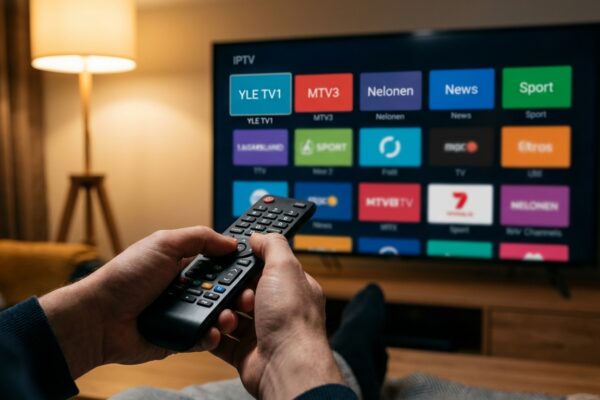
Choosing the right IPTV application can make the difference between a frustrating, buffering-prone experience and a premium television setup that rivals and surpasses any cable subscription. There are dozens of IPTV apps available across platforms in 2025, but the quality gap between the best and the worst is enormous. An excellent IPTV app handles large channel lists without slowing down, presents a clean and navigable electronic program guide, supports both M3U and Xtream Codes connections, decodes 4K video using your device hardware for smooth playback, and receives regular updates to fix compatibility issues. This guide covers the six best IPTV applications currently available, tested across Android, iOS, Smart TV, and Amazon Fire Stick platforms, with honest assessments of where each one excels and where it falls short, so you can make the right choice for your specific devices and preferences.
IPTV Smarters Pro — Best All-Around Application
IPTV Smarters Pro consistently ranks as the top recommendation for new IPTV users across all platforms, and deservedly so. It is available for Android through the Google Play Store, for iOS as Smarters Player Lite on the App Store, for Amazon Fire Stick through direct installation or sideloading, and for Windows as a desktop application. The interface organises content into clear Live TV, Movies, and Series sections when you use an Xtream Codes connection, making navigation of even very large channel libraries intuitive rather than overwhelming. Key features include multi-screen viewing allowing two simultaneous streams, a built-in EPG with auto-refresh, catch-up TV support, parental controls with PIN protection, and smooth 4K hardware-decoded playback on capable devices. The app is free to download with no premium tier required, making it the default starting recommendation for any new IPTV subscriber regardless of which device they plan to use.
TiviMate — Best for Android Power Users
TiviMate has earned a devoted following among experienced IPTV users who want the most feature-rich and customisable experience available on Android and Amazon Fire Stick. The interface closely resembles a premium cable TV guide with a horizontal program grid that you can scroll through to see what is airing across hundreds of channels simultaneously, making it feel immediately familiar even to users converting from a traditional cable setup. The premium version, which costs a small one-time purchase, unlocks multi-view so you can watch up to four channels side by side on one screen, DVR recording to external storage, multiple playlist support for users with more than one IPTV subscription, and extensive layout customisation including night mode, channel logo size, and EPG density. TiviMate handles channel lists of 50,000 or more entries without any noticeable performance degradation, which is a genuine technical achievement that cheaper applications struggle with. If you are an experienced IPTV user on Android or Fire Stick who wants maximum control over your viewing experience, TiviMate is the gold standard.
Smart IPTV — Best for Samsung and LG Smart TVs
For owners of Samsung Tizen or LG WebOS Smart TVs who want the simplest possible setup without connecting any additional hardware, Smart IPTV is the most established and reliable option. The app has been available for Smart TV platforms for longer than virtually any competitor, and its single-purpose focus on television viewing makes it extremely stable and dependable. Setup involves registering your TV MAC address on the Smart IPTV website and uploading your M3U playlist URL — the process takes under five minutes and does not require any technical knowledge. The app then presents your channels in a clean, remote-control-friendly grid interface with EPG support. The EPG covers major international channels well and updates automatically. A small one-time activation fee grants lifetime access rather than an ongoing subscription to the app itself. The main limitation compared to more advanced apps is that Smart IPTV does not support Xtream Codes API directly, which means the automatic content organisation into Live, Movies, and Series sections is not available and all channels appear in a single master playlist.
SET IPTV — Best Modern Alternative for Smart TVs
SET IPTV positions itself as the modern successor to Smart IPTV on Samsung Tizen and LG WebOS platforms, and it makes a strong case. The interface is noticeably more polished with smoother animations, faster channel switching, and better EPG integration than older Smart TV IPTV apps. Crucially, SET IPTV supports direct Xtream Codes API login, which means you can enter your server URL, username, and password directly inside the app without needing to visit an external website registration page. This automatically organises your content into Live Television, Video on Demand, and Series sections, making navigation of large libraries far more manageable. SET IPTV handles very large channel playlists more efficiently than Smart IPTV, which becomes important when your provider offers 40,000 or more channels. For Samsung and LG Smart TV users who want a more capable experience than Smart IPTV provides without adding an external streaming device, SET IPTV is the best available option in 2025.
VLC Media Player — Best Free Desktop Option
VLC Media Player from VideoLAN is a free, open-source application available for Windows, Mac, and Linux that many casual IPTV users overlook in favour of dedicated IPTV apps. For desktop computer users who want to watch IPTV without installing specialist software, VLC handles M3U playlists reliably and supports virtually every video codec without requiring additional plugins or codecs. To use it for IPTV, open VLC, go to Media in the menu bar, select Open Network Stream, and paste your M3U URL. Your channel list loads as a scrollable playlist in the sidebar. While VLC lacks a graphical EPG, dedicated channel groups, or catch-up TV support, it offers rock-solid reliability and is routinely updated by the VideoLAN team. It is the best recommendation for office workers who want to occasionally watch a live sports match on a laptop or for technical users who want to quickly verify that an M3U playlist URL is working correctly before configuring it in a more advanced IPTV application.
GSE Smart IPTV — Best for iPhone and iPad
iOS is the most restricted platform for IPTV apps due to Apple App Store policies, but GSE Smart IPTV is an excellent option that handles both M3U playlists and Xtream Codes API connections with a clean and intuitive interface designed specifically for touchscreen navigation. The app supports multiple playlist connections allowing you to manage several IPTV subscriptions from a single interface. The EPG implementation is solid and updates reliably. An in-app purchase unlocks additional features including picture-in-picture mode, which allows you to minimise the video player to a floating window so you can check email or browse while keeping an eye on a match. GSE Smart IPTV is available free with the in-app upgrade available at a reasonable one-time cost. Combined with AirPlay support for wirelessly casting to Apple TV or AirPlay-compatible televisions, this makes it one of the most practical IPTV solutions for iOS users who want to watch both on their device and on a larger screen.

Which App Should You Choose?
The right choice depends primarily on the device you plan to use most frequently. Samsung or LG Smart TV owners should start with SET IPTV for the most modern experience with Xtream Codes support. Fire Stick and Android device users should begin with IPTV Smarters Pro for its ease of use or upgrade to TiviMate once they are comfortable with the basics and want more customisation. iPhone and iPad users should download Smarters Player Lite as the first choice, with GSE Smart IPTV as a capable alternative. Desktop and laptop users are best served by either the IPTV Smarters Pro Windows client or VLC for a completely free solution. Regardless of which application you choose, the quality of your underlying IPTV subscription ultimately determines your experience — make sure your provider delivers stable servers, a verified channel list, and responsive support before investing time in app configuration. Our setup guide provides step-by-step installation instructions for each of these applications across all supported platforms.